
Open the page
In COD King → Settings, click WhatsApp COD verification under COD workflow. The page is titled COD Verification WhatsApp and shows Enabled or Inactive at the top.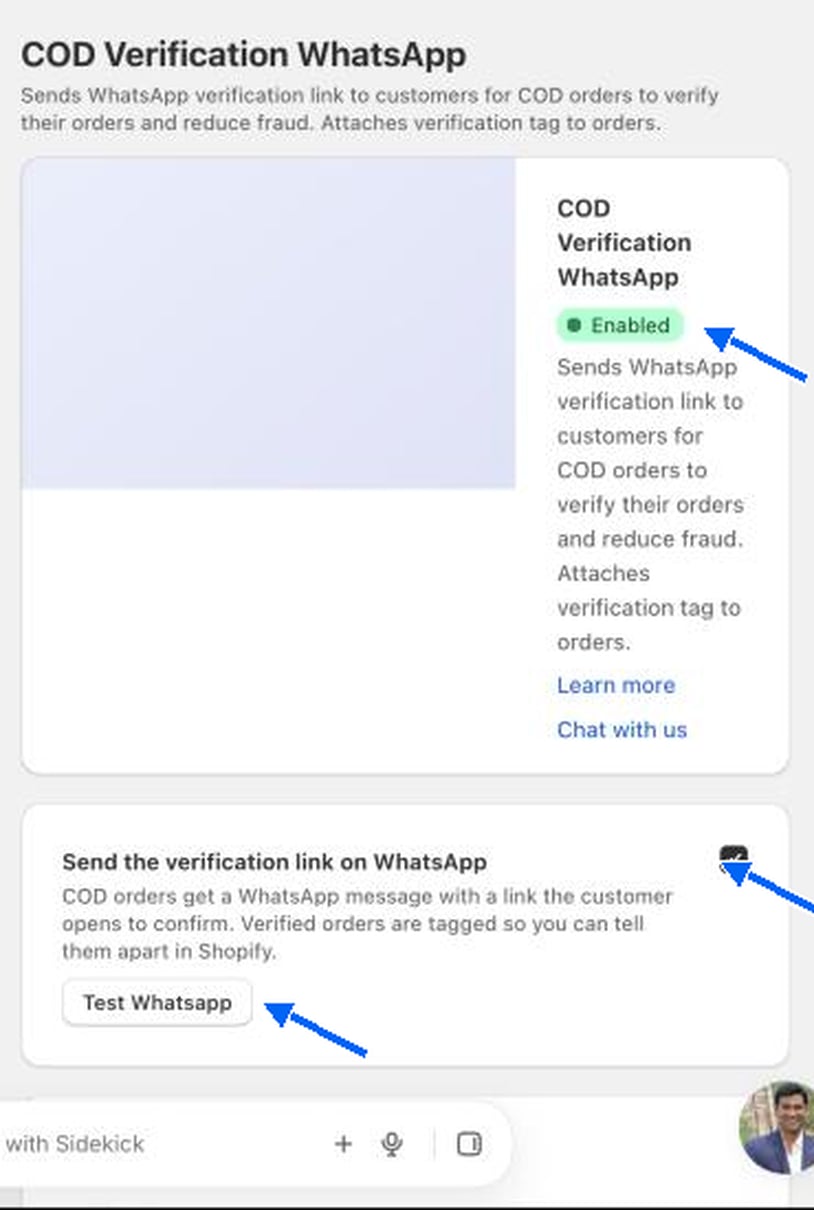
Turn it on
Tick Send the verification link on WhatsApp. COD orders then get a WhatsApp message with a link the customer opens to confirm. Click Test Whatsapp to send yourself a sample before you go live.Verification settings
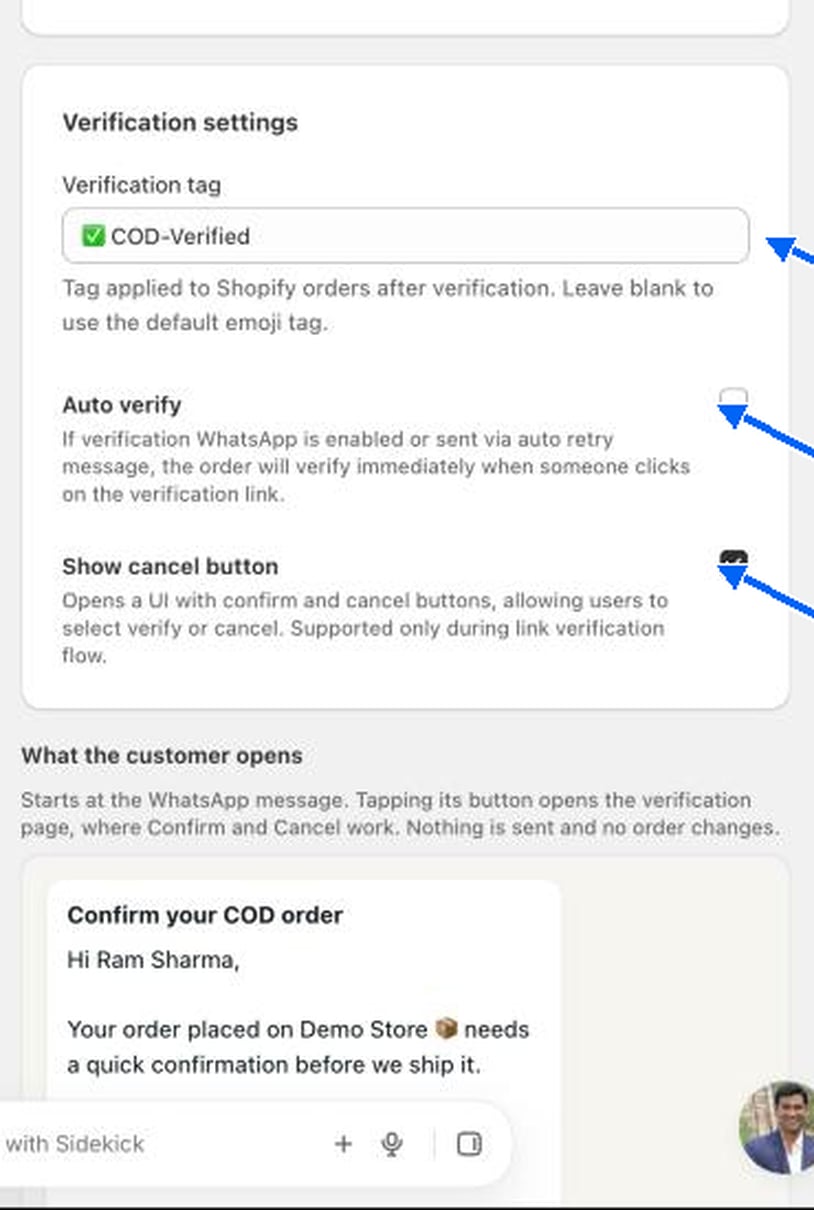
What the customer sees
A What the customer opens preview at the bottom of the page shows the message: Confirm your COD order, the shopper’s name, the order ID and total, and a Confirm your order button. Tapping it opens the verification page, where Confirm and Cancel work. Nothing is sent and no order changes in the preview.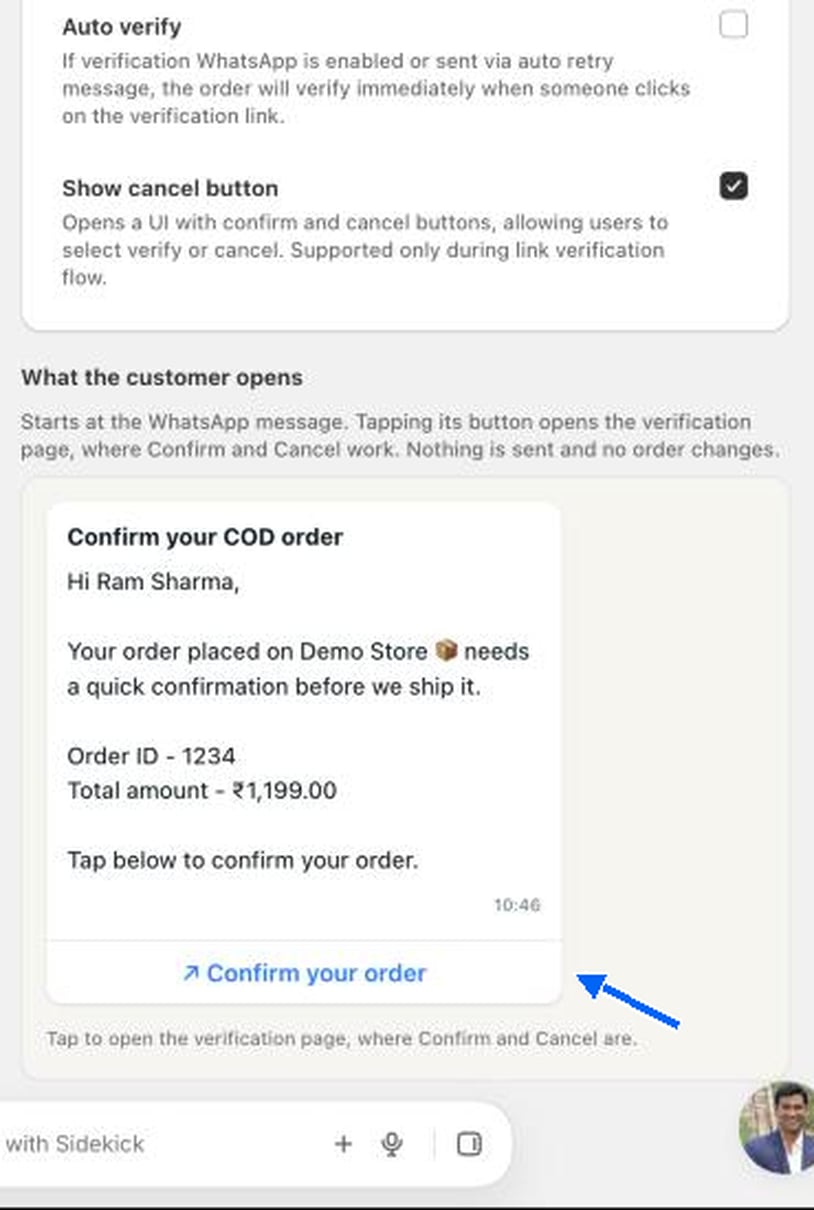
This feature needs WhatsApp messaging to be set up for your store. See Branded WhatsApp.