
This is for the Shopify Plus native checkout. Sending OTP from checkout also needs an eligible billing plan (Enterprise or Enterprise Plus) or legacy shop access.
Open the page
In COD King → Settings, click Shopify Plus widget under COD workflow. The page is titled Checkout extension OTP (Shopify Plus).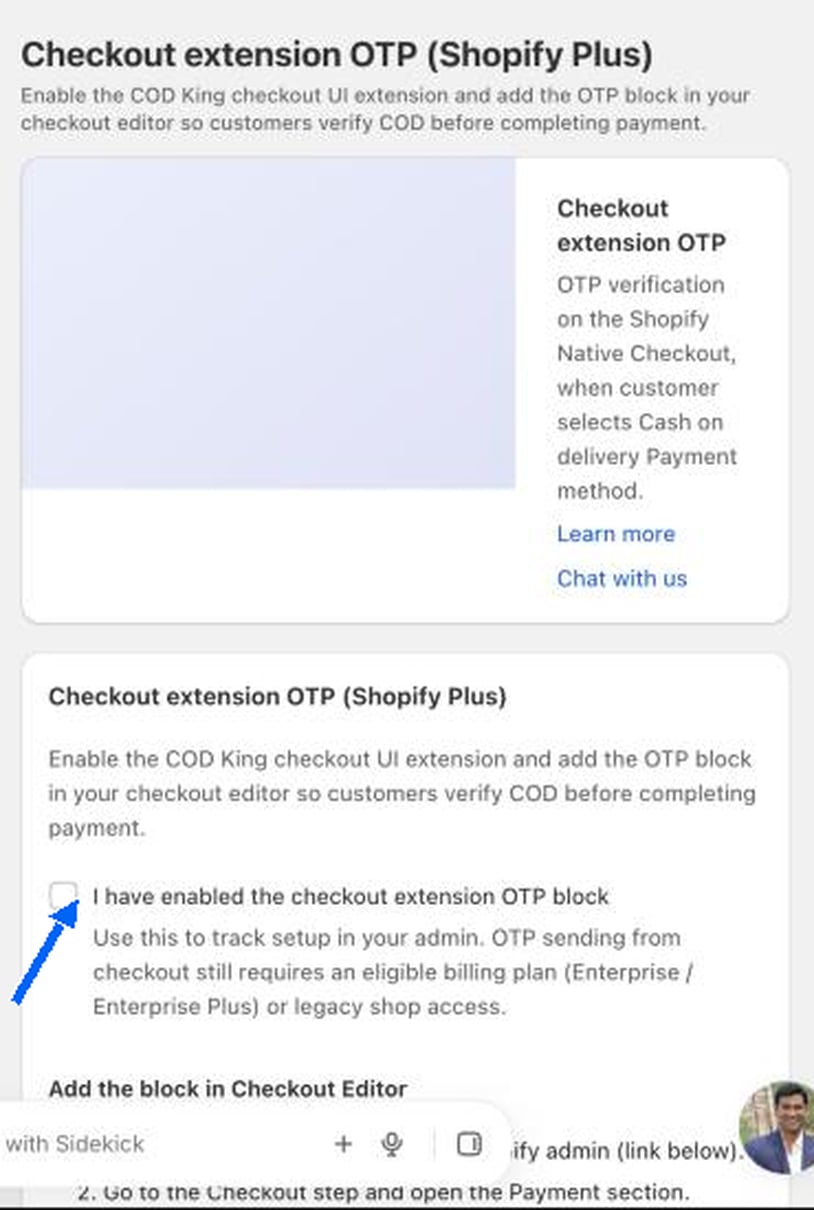
Add the block in the Checkout Editor
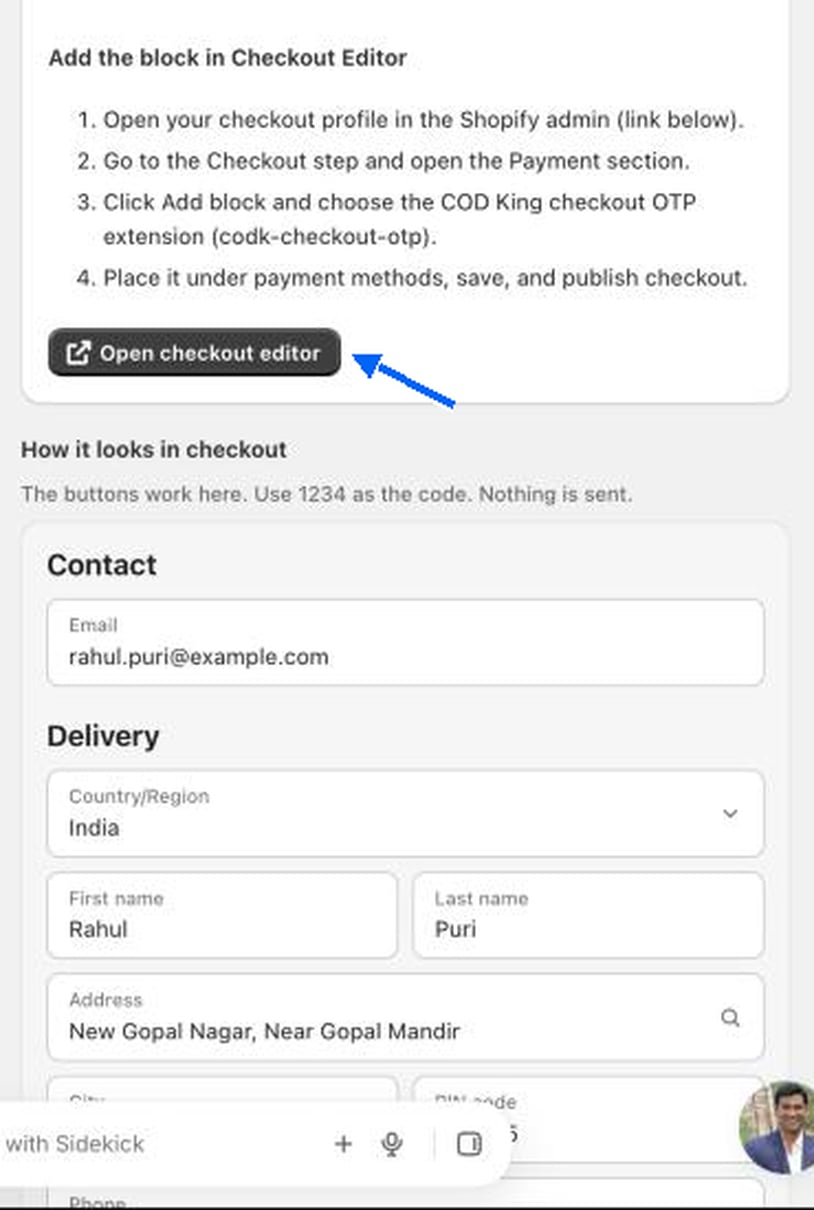
1
Open your checkout profile
Click Open checkout editor to open it in the Shopify admin.
2
Open the Payment section
Go to the Checkout step and open the Payment section.
3
Add the COD King block
Click Add block and choose the COD King checkout OTP extension (
codk-checkout-otp).4
Place it under payment methods
Put the block under the payment methods, save and publish checkout.
How it looks in checkout
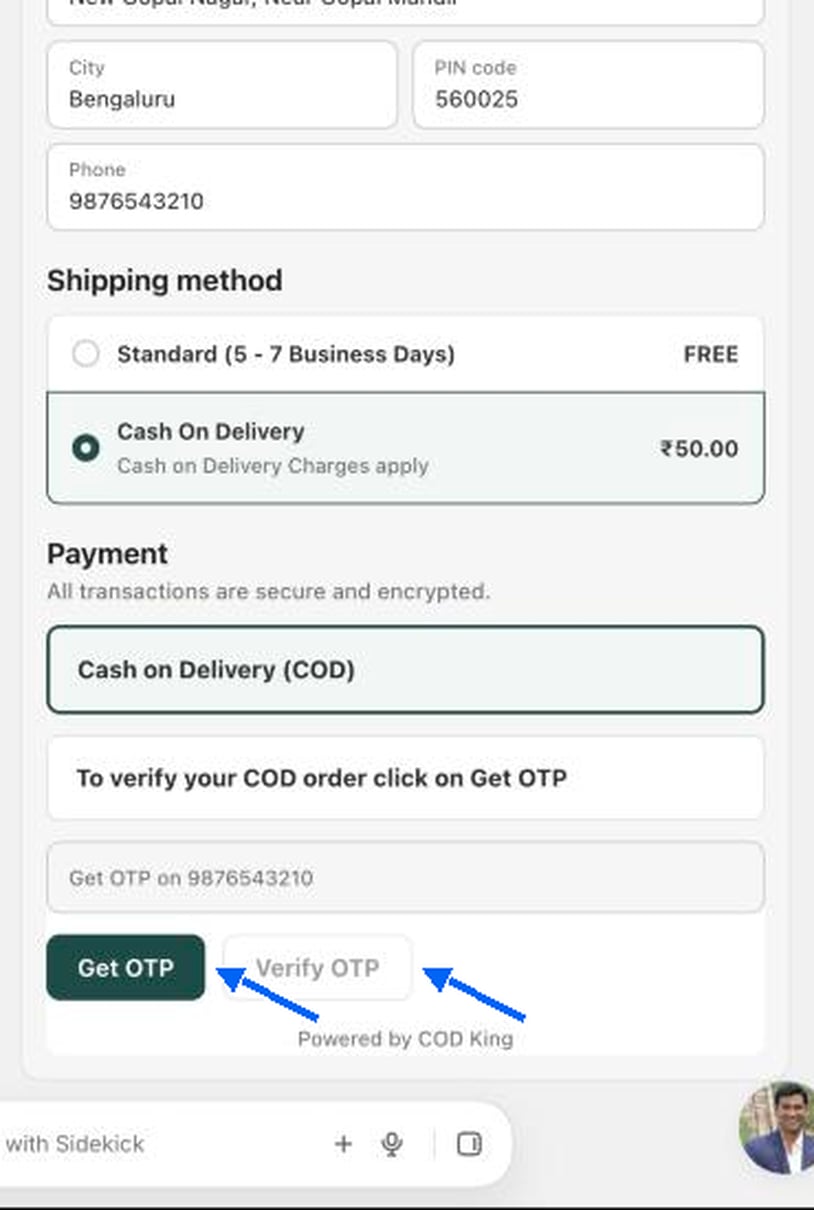
The page shows a How it looks in checkout preview. The buttons work there, and the test code is1234. Nothing is sent.
Test it
1
Place a test order on your Plus checkout
Add a product to the cart and go to checkout.
2
Choose Cash on Delivery
The OTP block appears under the payment methods.
3
Click Get OTP and enter the code
The order can be completed only after verification.