
Before you start: what these tools are for
With cash on delivery the buyer pays nothing up front, so some people place orders as a joke, to spite a competitor, or without any intention of accepting the parcel. Each one costs you shipping both ways. The tools on this page work like a doorman: block known bad actors, slow down repeat attempts, and keep automated scripts out.Start gently. A very strict rule can stop real customers, for example a family sharing one phone or one internet connection. Turn one rule on at a time and watch the Blocked attempts log before adding the next.
1. Block lists
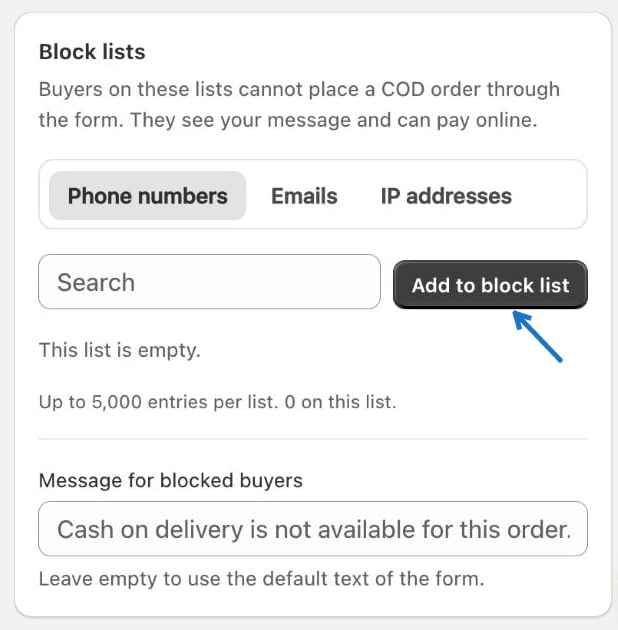
Buyers on a block list cannot place a COD order through the form. They see your message and can still pay online.- Choose a tab: Phone numbers, Emails or IP addresses.
- Type the value in the box and click Add to block list.
- Optionally, write your own Message for blocked buyers. Leave it empty to use the default text of the form.
2. Order limits
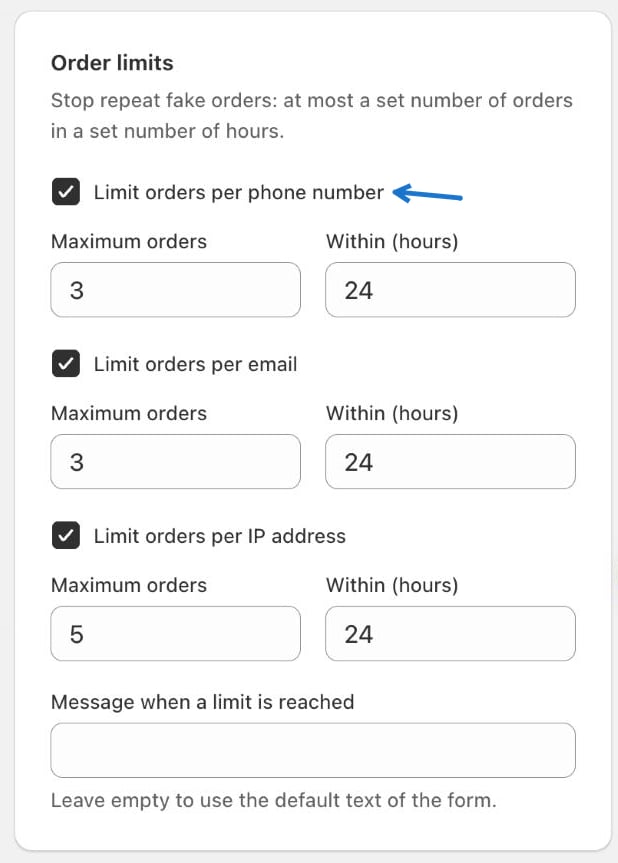
Stop repeat fake orders by allowing at most a set number of orders in a set number of hours. You can limit by:- Phone number
- IP address
3. Quantity and bot protection
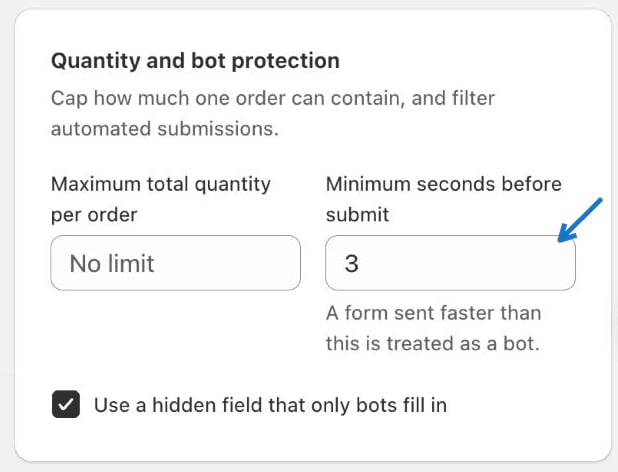
- Maximum total quantity per order — caps how many items one order can contain. Leave it as No limit if you do not want a cap.
- Minimum seconds before submit — a form sent faster than this is treated as a bot.
- Use a hidden field that only bots fill in — a trap field that real shoppers never see.
4. Return-risk gating and blocked attempts
Return-risk gating removes full COD for buyers who are likely to refuse the parcel. They are offered partial payment (when a payment rule allows it) or Pay online. Tick Remove full COD for risky buyers to turn it on. Blocked attempts is a log of every time the form refused a COD order, and why. Use the Reason list to filter it.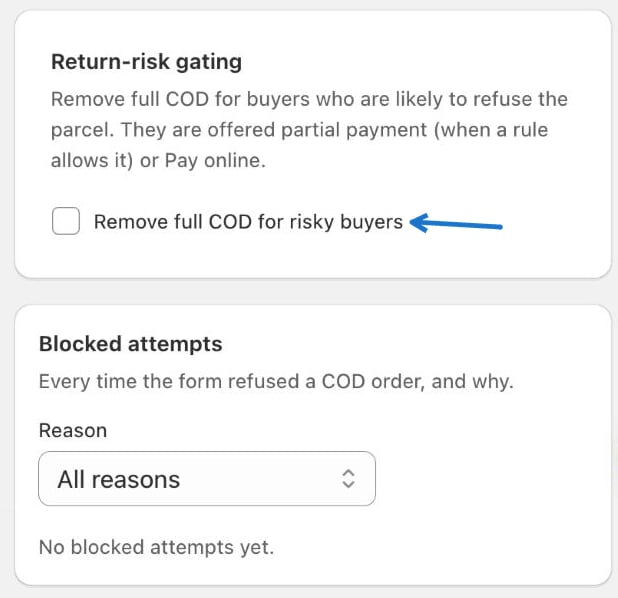
Next: Offers
Increase order value with offers inside the form.
Analytics
See how many orders the form is bringing in.