
Which settings matter most
You can leave everything here on its default and the form works. These are the ones merchants most often change:After you change a setting that affects what buyers see, use Resync settings to storefront on the COD Form setup page, then reload your store to check it.
1. Shipping rates
Shipping rates are the delivery options and prices shoppers see in the COD Form. The card shows how many of your rates are active (for example “1 of 1 rates active”). Click Manage shipping rates to add or edit them.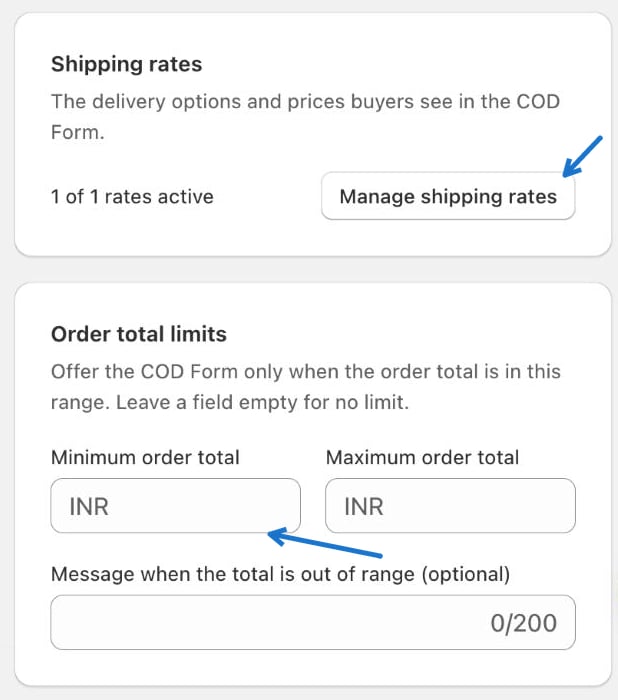
2. Order total limits
Offer the COD Form only when the order total is inside a range.- Minimum order total and Maximum order total — leave a field empty for no limit.
- Message when the total is out of range (optional) — up to 200 characters.
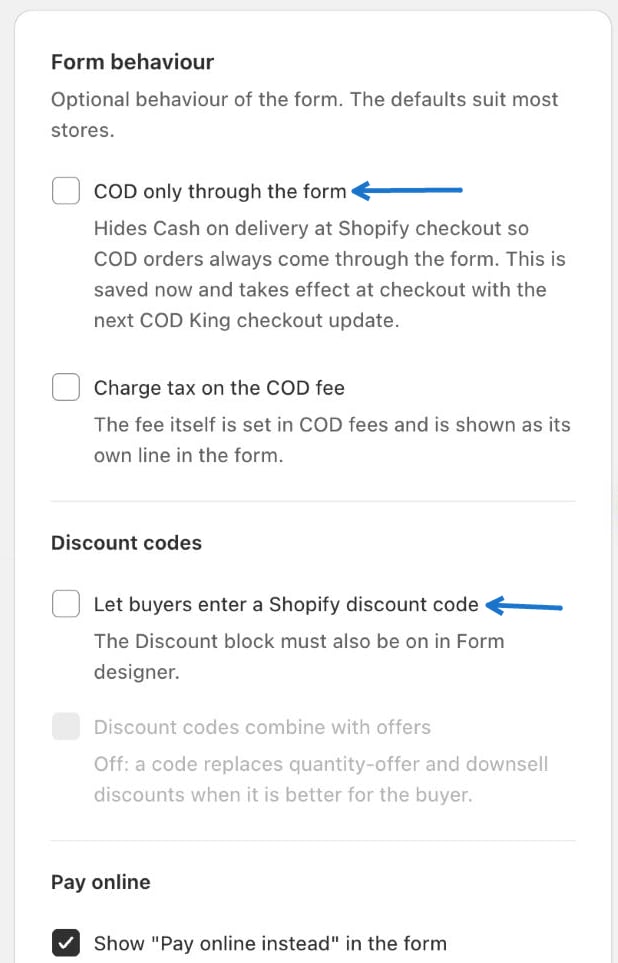
3. Form behaviour and discount codes
Under Form behaviour:- COD only through the form — hides Cash on delivery at Shopify checkout so COD orders always come through the form.
- Charge tax on the COD fee — the fee itself is set in COD fees and shows as its own line in the form.
- Let buyers enter a Shopify discount code — the Discount code block must also be on in the Form designer.
- Discount codes combine with offers — when off, a code replaces quantity-offer and downsell discounts when it is better for the buyer.
4. Abandoned forms, upsell window and privacy
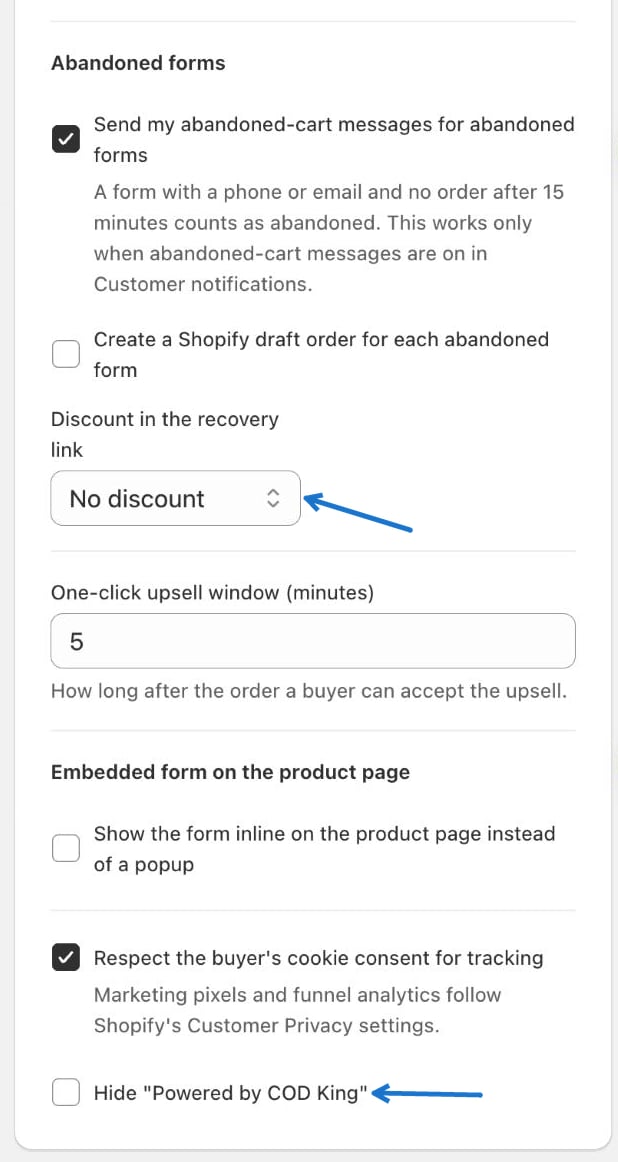
- Abandoned forms — a form with a phone or email and no order after 15 minutes counts as abandoned.
- Send my abandoned-cart messages for abandoned forms — works only when abandoned-cart messages are on in Customer notifications.
- Create a Shopify draft order for each abandoned form
- Discount in the recovery link — optionally add a discount to the recovery link.
- One-click upsell window (minutes) — how long after the order a buyer can accept a one-click upsell.
- Embedded form on the product page — tick Show the form inline on the product page instead of a popup.
- Respect the buyer’s cookie consent for tracking — marketing pixels and funnel analytics follow Shopify’s Customer Privacy settings.
- Hide “Powered by COD King” — removes the footer line from the form.
Back to Overview
See all COD Form pages in one place.
Need Help?
Contact our support team.