
What You Need
Before you start, make sure you have:- An 8x8 Connect account
- Access to your 8x8 Connect dashboard
- Company information for Sender ID registration
- Access to your COD King admin panel
Step 1: Log in to 8x8 Connect
Open the 8x8 Connect login page: https://connect.8x8.com/login Log in to your account. After logging in, you will see the 8x8 Connect dashboard.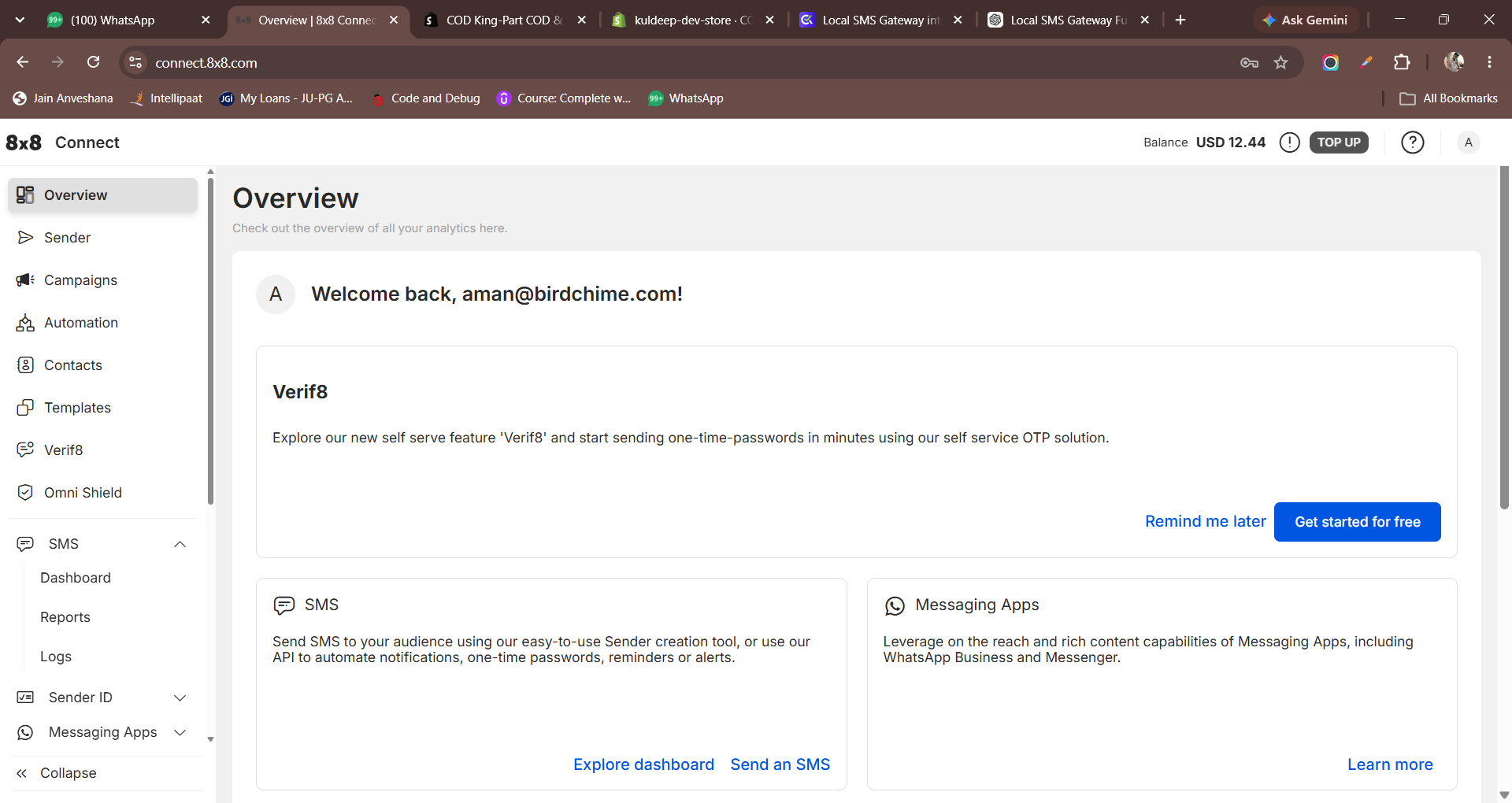
Step 2: Create an API Key
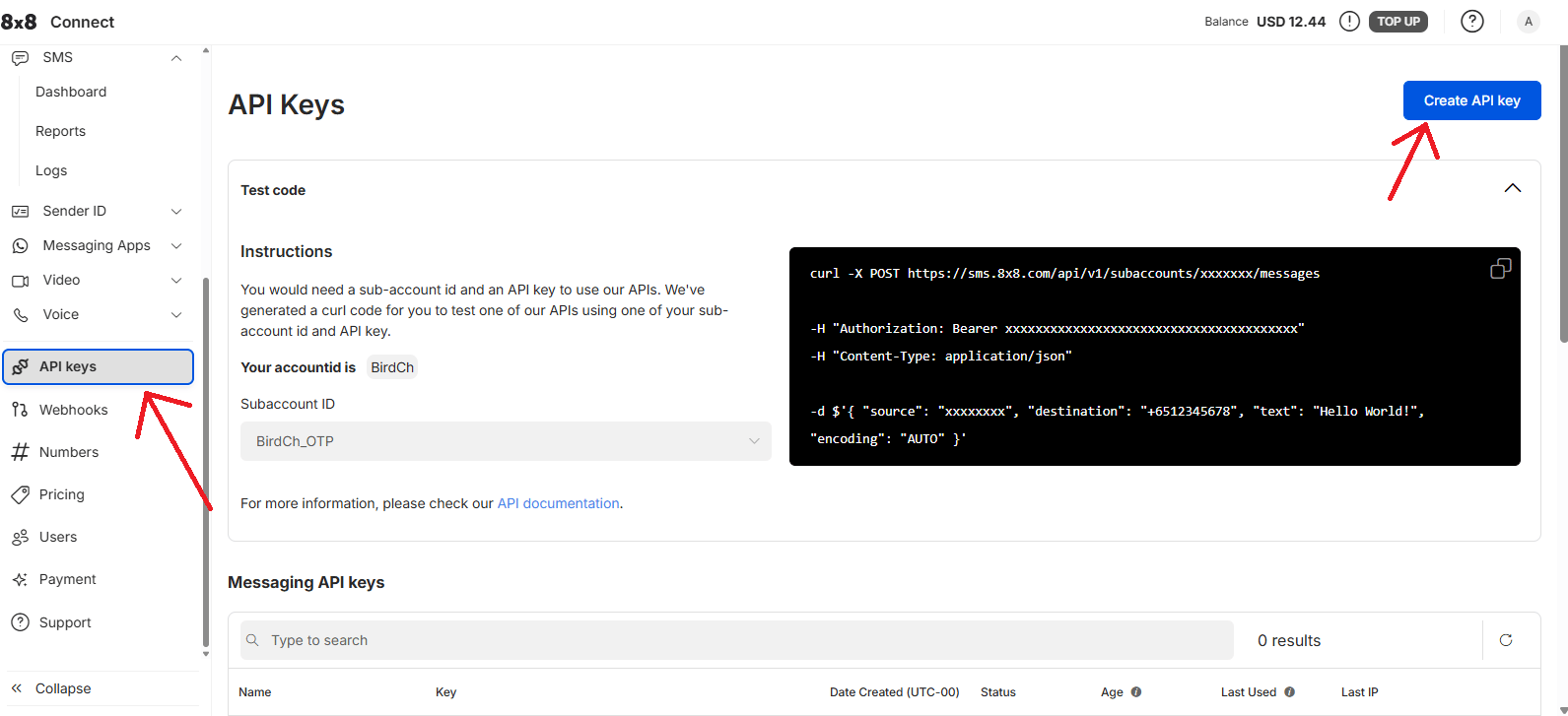
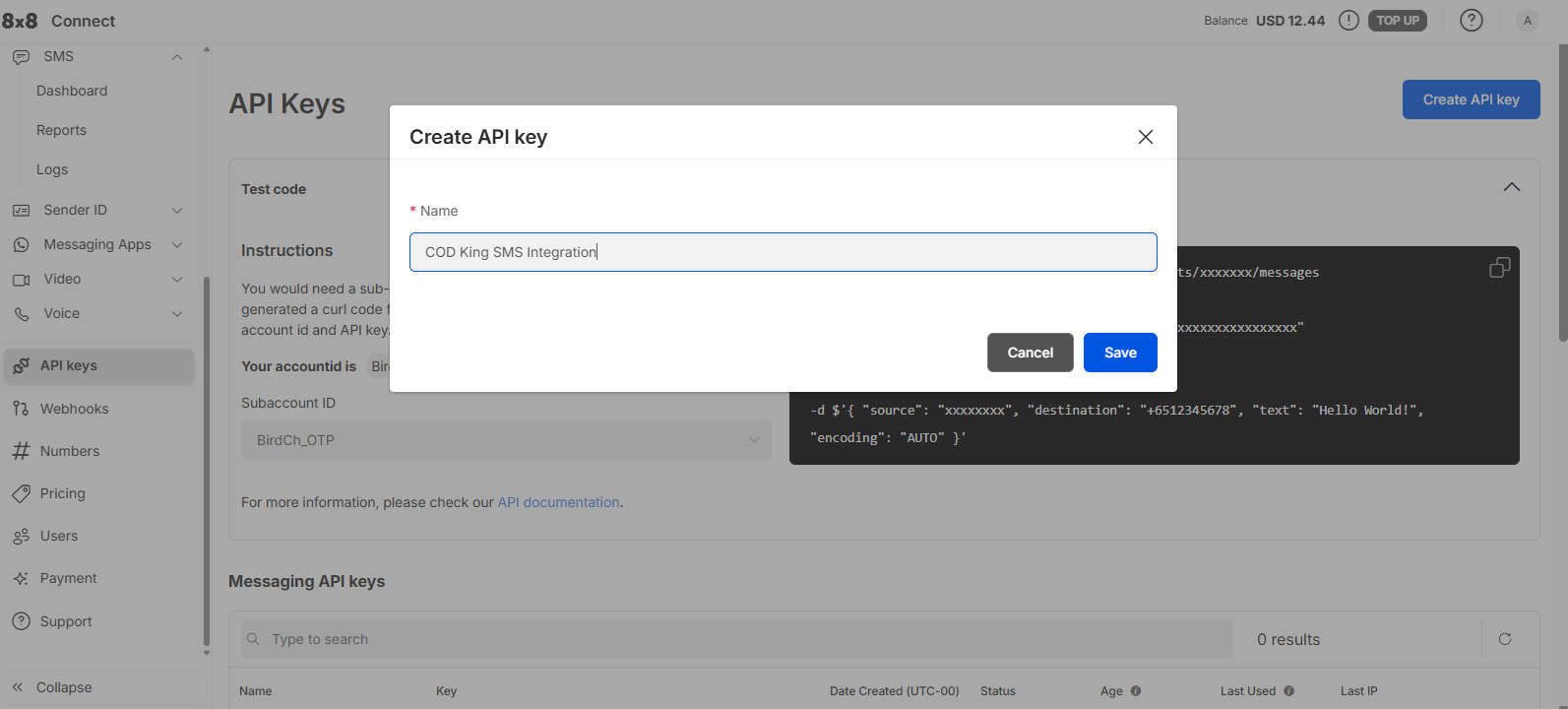
From the left-side menu, open API Keys. Click Create API key. Enter a name for the API key. For example:COD King SMS Integration
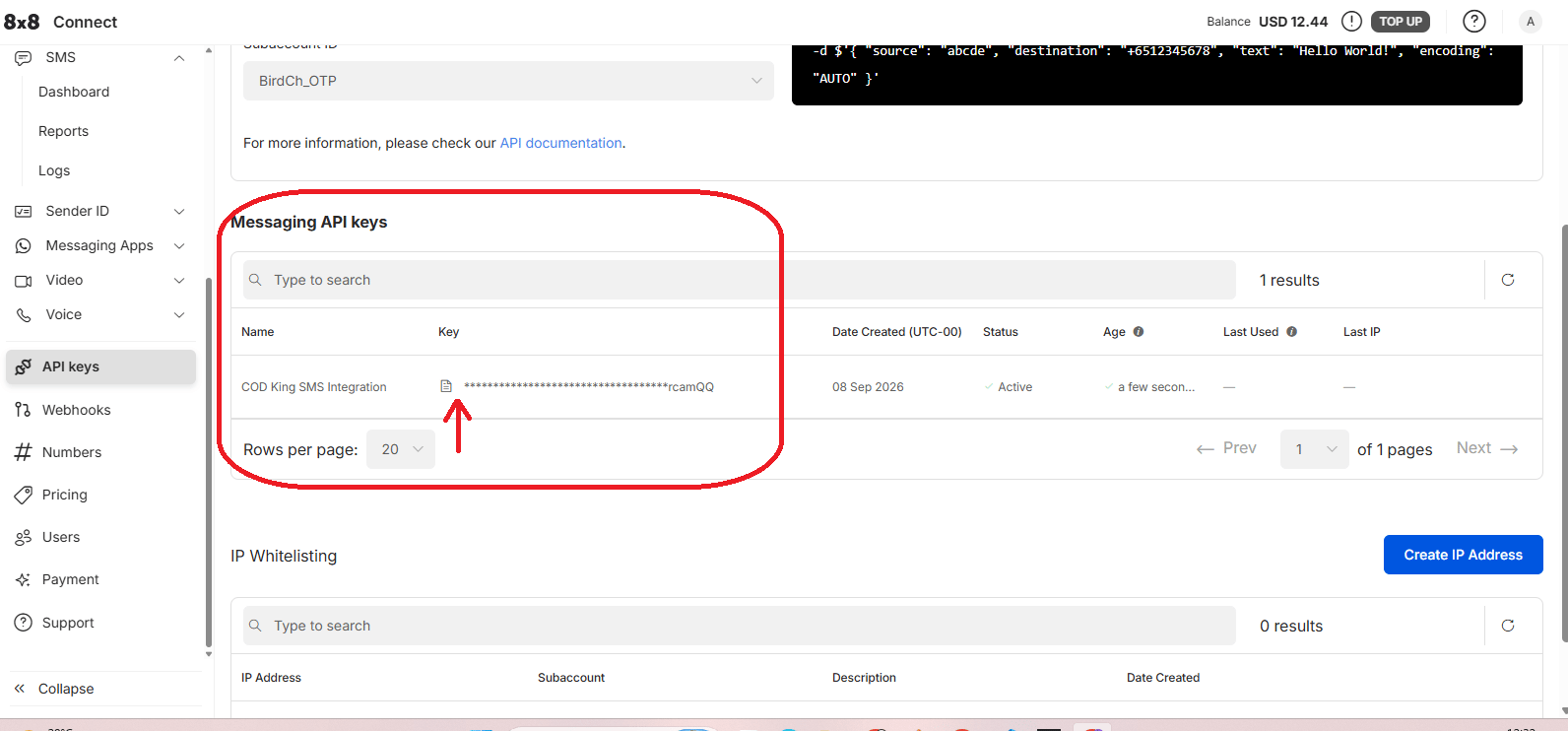
Then create the API key.
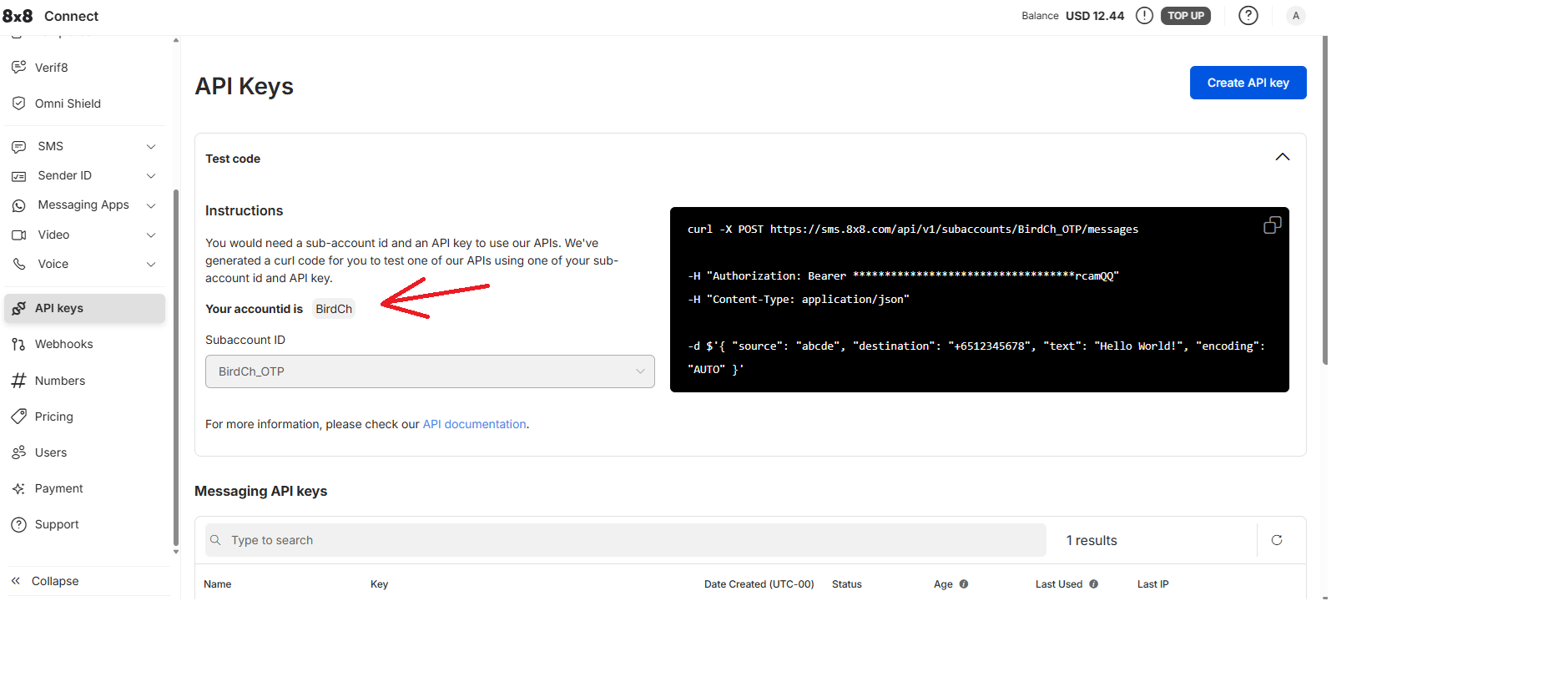
Step 3: Get the Sub Account ID
On the API Keys page, find the SMS Subaccount that you want to use. Copy the Subaccount ID. For example:BirdCh_OTP
Your Subaccount ID may be different.
You will enter this value in COD King’s Sub Account ID field.
Step 4: Register a Sender ID
From the 8x8 Connect menu, open: Sender ID → Registrations Click Register new sender ID.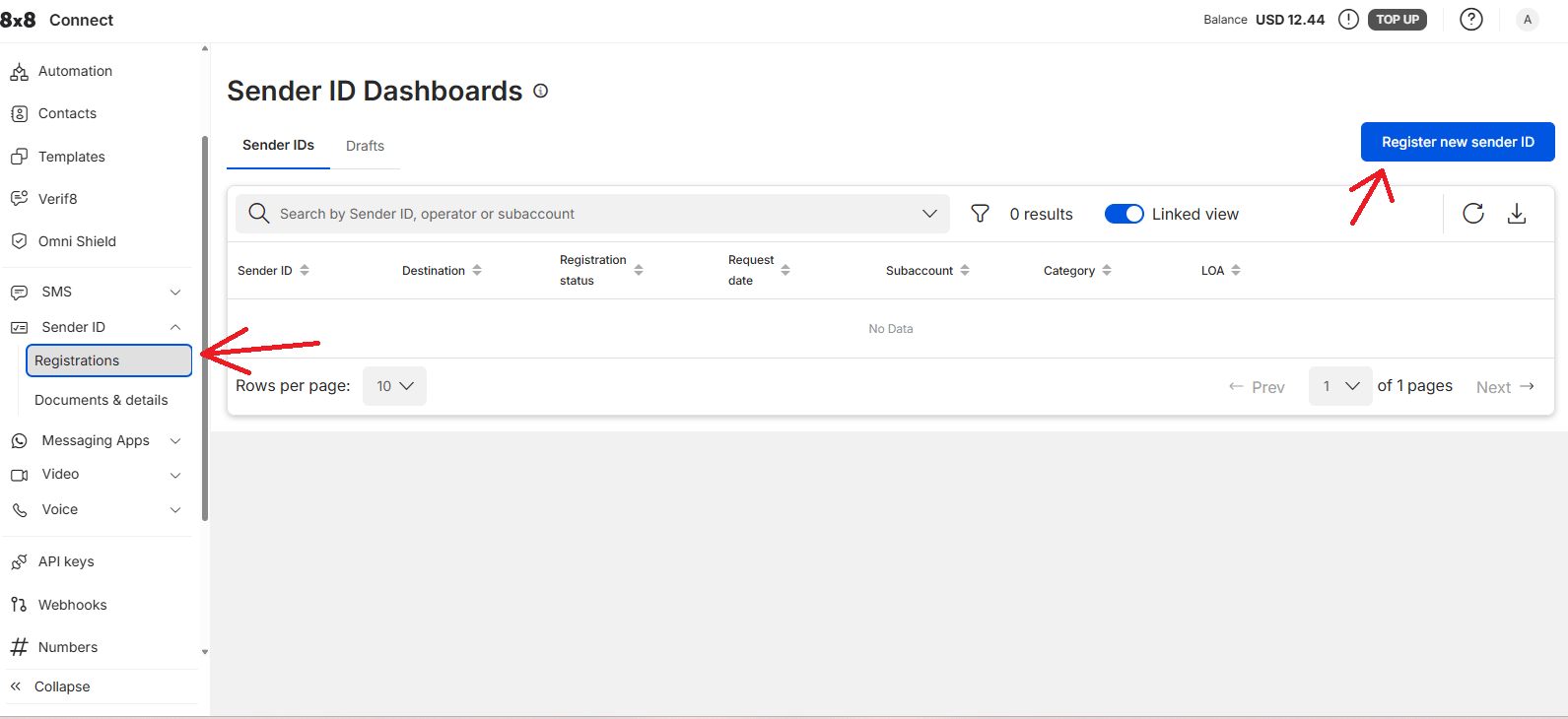
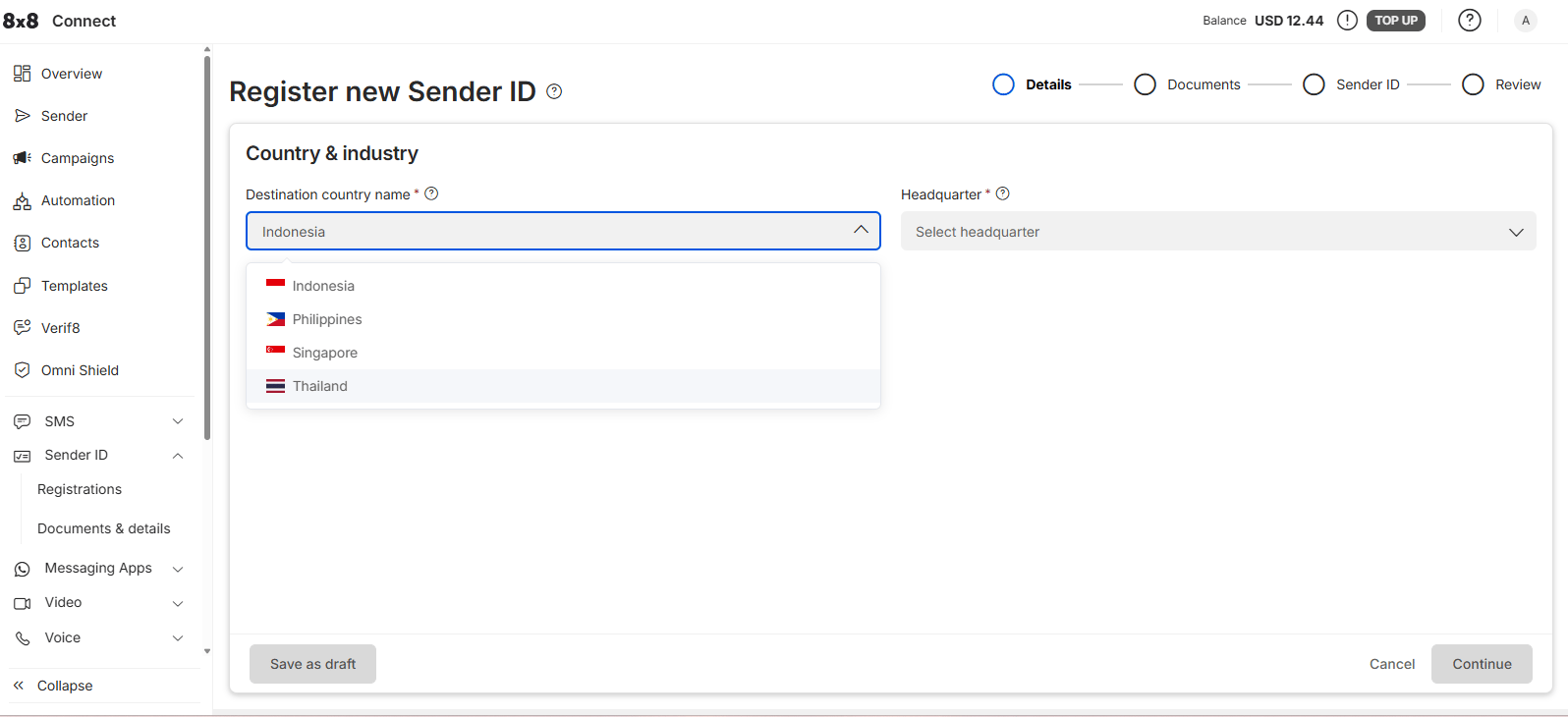
Step 5: Add Company Details
8x8 Connect will ask for your company and business information. Enter your actual:- Company name
- Signing officer details
- Company website
- Company address
- Country and city
- Other required business information
Upload the documents requested by 8x8 Connect. Use your real company information and documents. Do not use example information when submitting the registration.
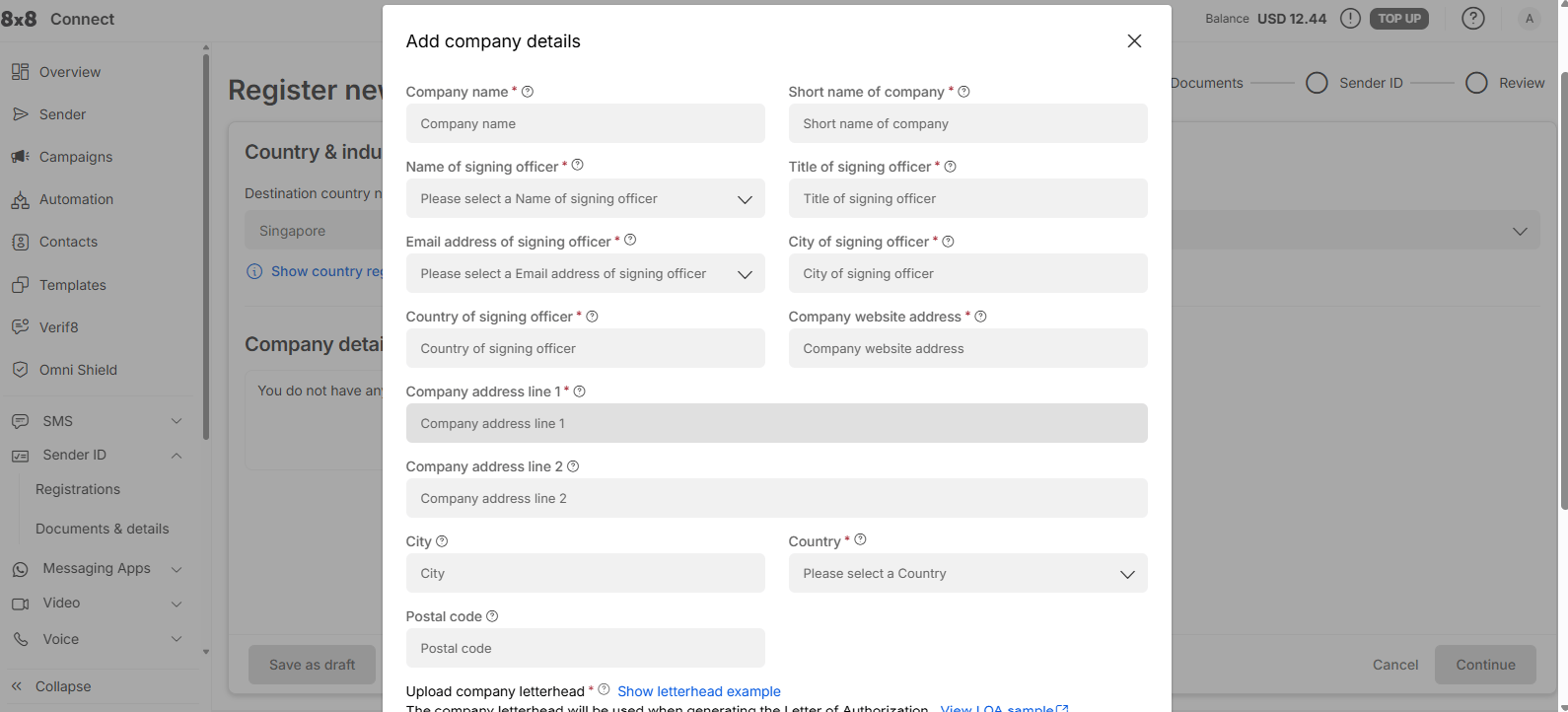
Step 6: Add Your Sender ID
Enter the Sender ID that you want to use for sending SMS. For example:CODKING
Review the information and submit the registration.
Depending on the destination country, the Sender ID may need to be approved before it can be used.
Step 7: Open COD King
Once you have your:- Sub Account ID
- API Key
- Sender ID
Under Network Provider, select: Wavecell (Global)
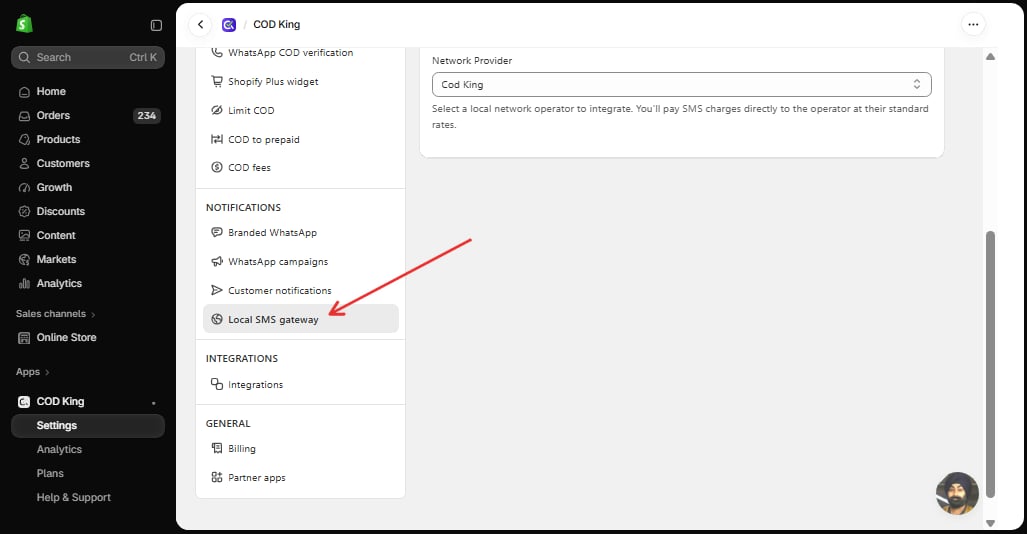
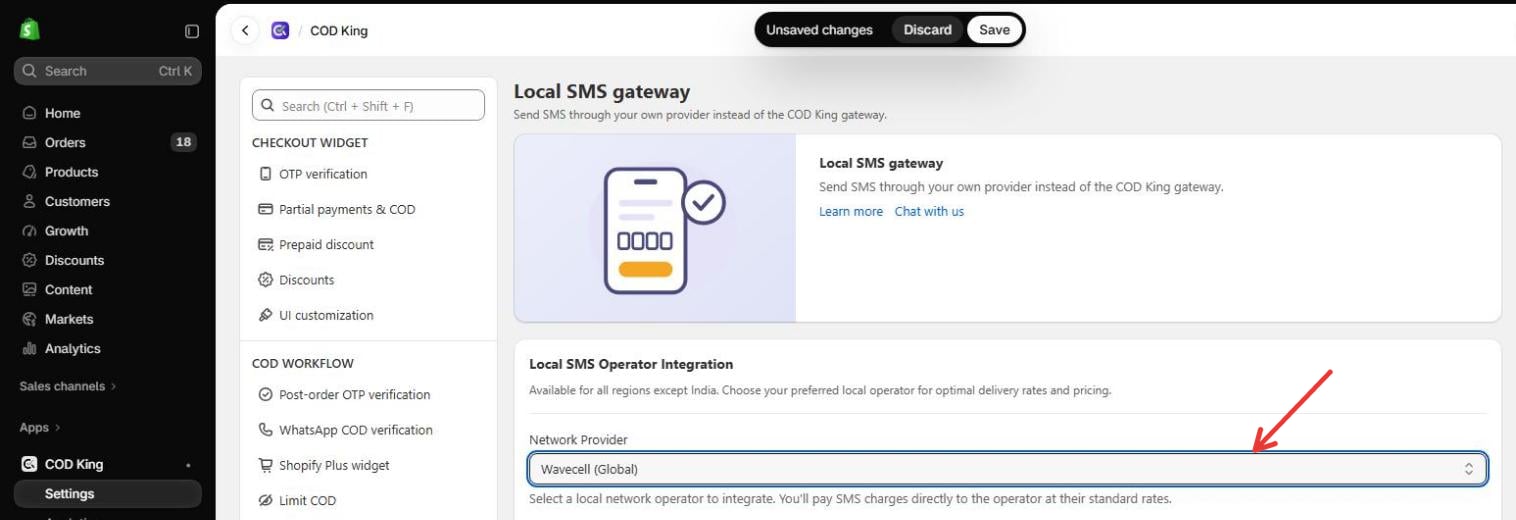
Step 8: Enter Wavecell Details
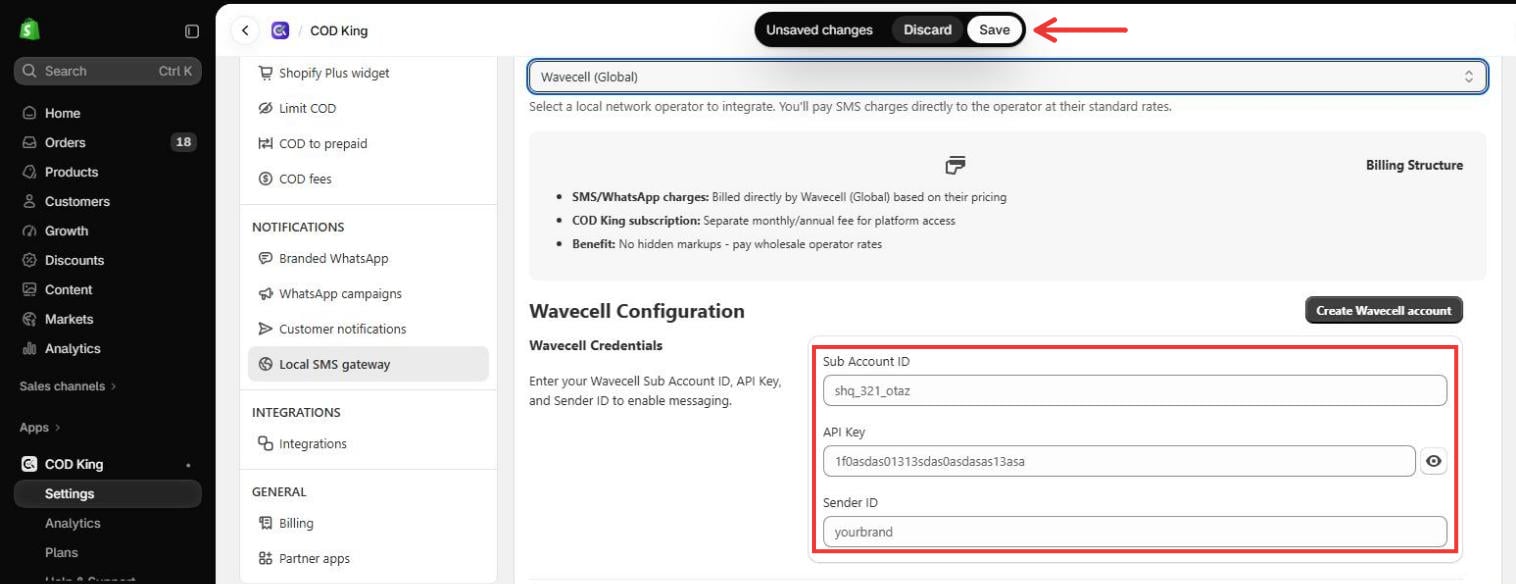
Enter the details obtained from 8x8 Connect.
Make sure all three values are entered correctly.
Then click Save in the bar at the top of the page.
Step 9: Test SMS
After saving the configuration, scroll down to the Test Your Integration section on the same page. Enter a valid phone number with the country code in the Phone Number field. Click Send Test SMS to send a test message to the entered phone number.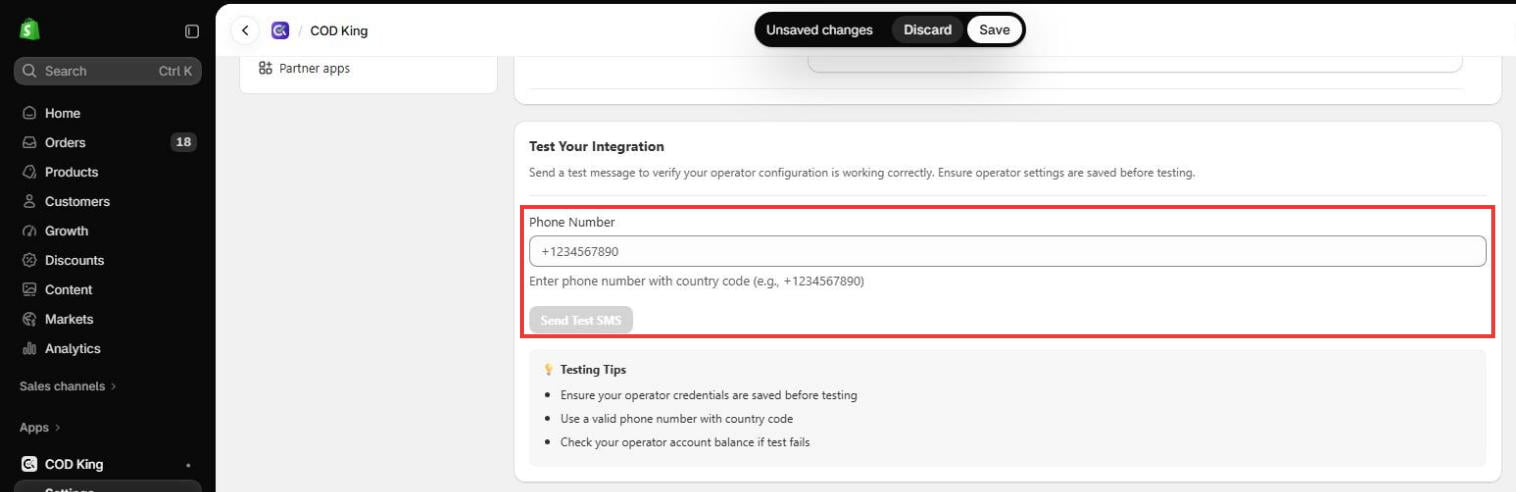
Testing Tips
- Ensure your operator credentials are saved before testing.
- Use a valid phone number with the country code.
- Check your wavecell account balance if the test message fails.
Wavecell Configuration Summary
To connect Wavecell with COD King, you need these three values:
Once these details are entered and saved in COD King, Wavecell (8x8 Connect) is ready to send SMS notifications.