
Step 1: Create a Branded SMS Account
If you don’t already have an account, visit the official Branded SMS Pakistan website and register. After your account is activated, log in to the Branded SMS customer portal. For assistance with account registration, contact Branded SMS Pakistan through its official website.Step 2: Get Your API Key
Log in to your Branded SMS account and locate the API or developer settings. Retrieve and copy your API Key. You will need it to connect your account to COD King. For more information, refer to the official Branded SMS API documentation.Step 3: Get Your Sender ID
Branded SMS refers to Sender IDs as Masking IDs in its API documentation. Make sure a Sender ID is available and enabled for your account. Copy the Sender ID you want to use when sending SMS messages. You can refer to the official Sender ID documentation for more information.Step 4: Connect Branded SMS to COD King
- Open the Shopify Admin.
- Navigate to Apps and open COD King.
- Go to Settings and select Local SMS gateway.
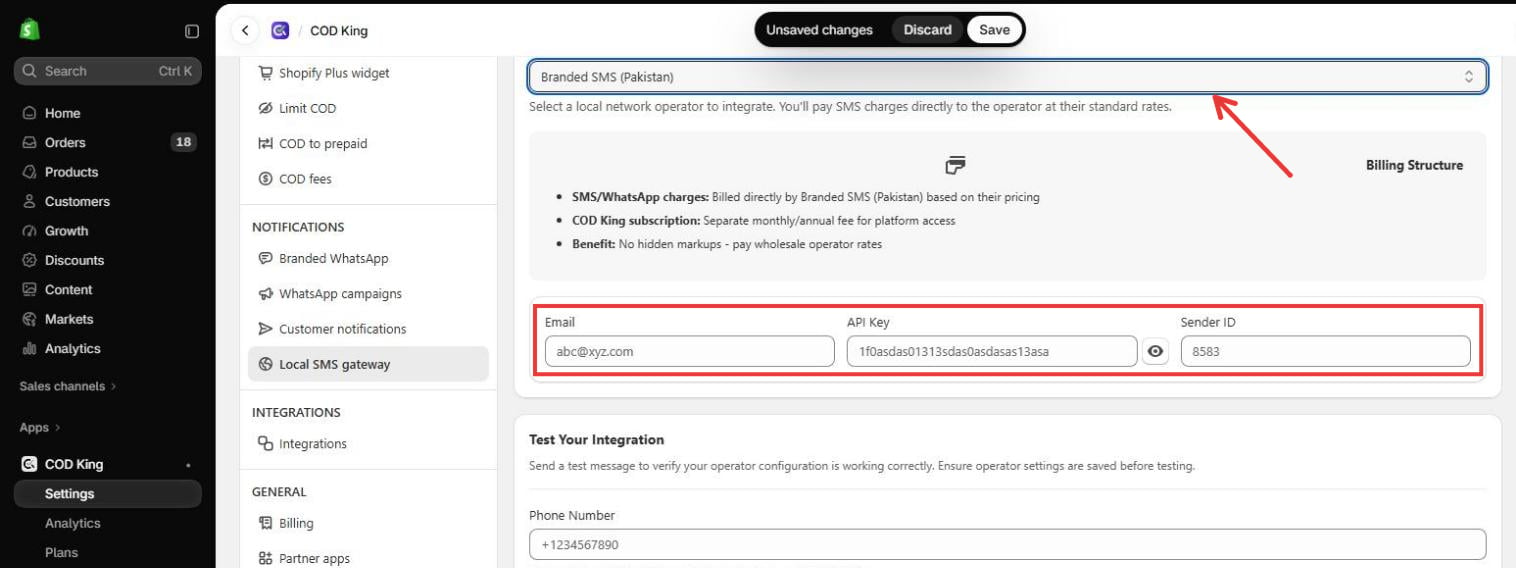
- Select Branded SMS (Pakistan) from the Network Provider dropdown.
- Enter your Branded SMS credentials in the corresponding fields:
- Email: Enter the email address registered with your Branded SMS account.
- API Key: Enter the API Key from your Branded SMS account.
- Sender ID: Enter the Sender ID (Masking ID) assigned to your account.
- Click Save in the bar at the top of the page.
Step 5: Send a Test SMS
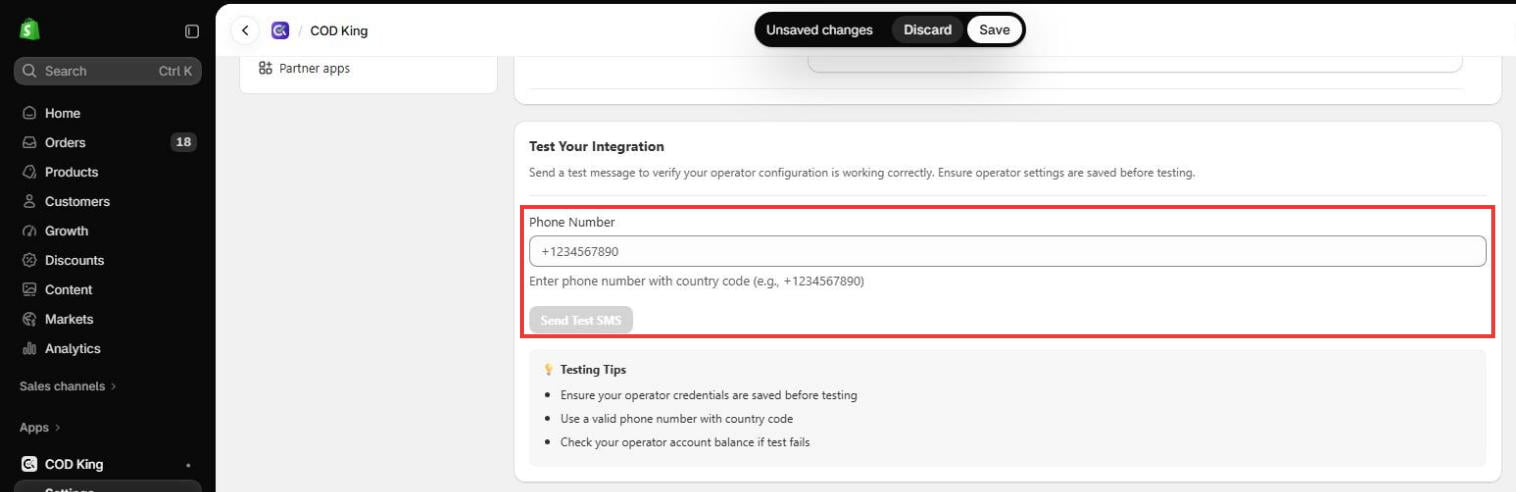
After saving your credentials:- Scroll to the Test Your Integration section and enter a phone number in the Phone Number field.
- Click Send Test SMS.
- Check whether the test message is received on the specified phone.
Troubleshooting
If the integration does not work:- Confirm that your API Key is correct.
- Make sure your Sender ID is available and valid for your account.
- Check that your account has sufficient SMS credits.
- Verify that the recipient phone number is entered correctly.