The header: Off, Test and Live
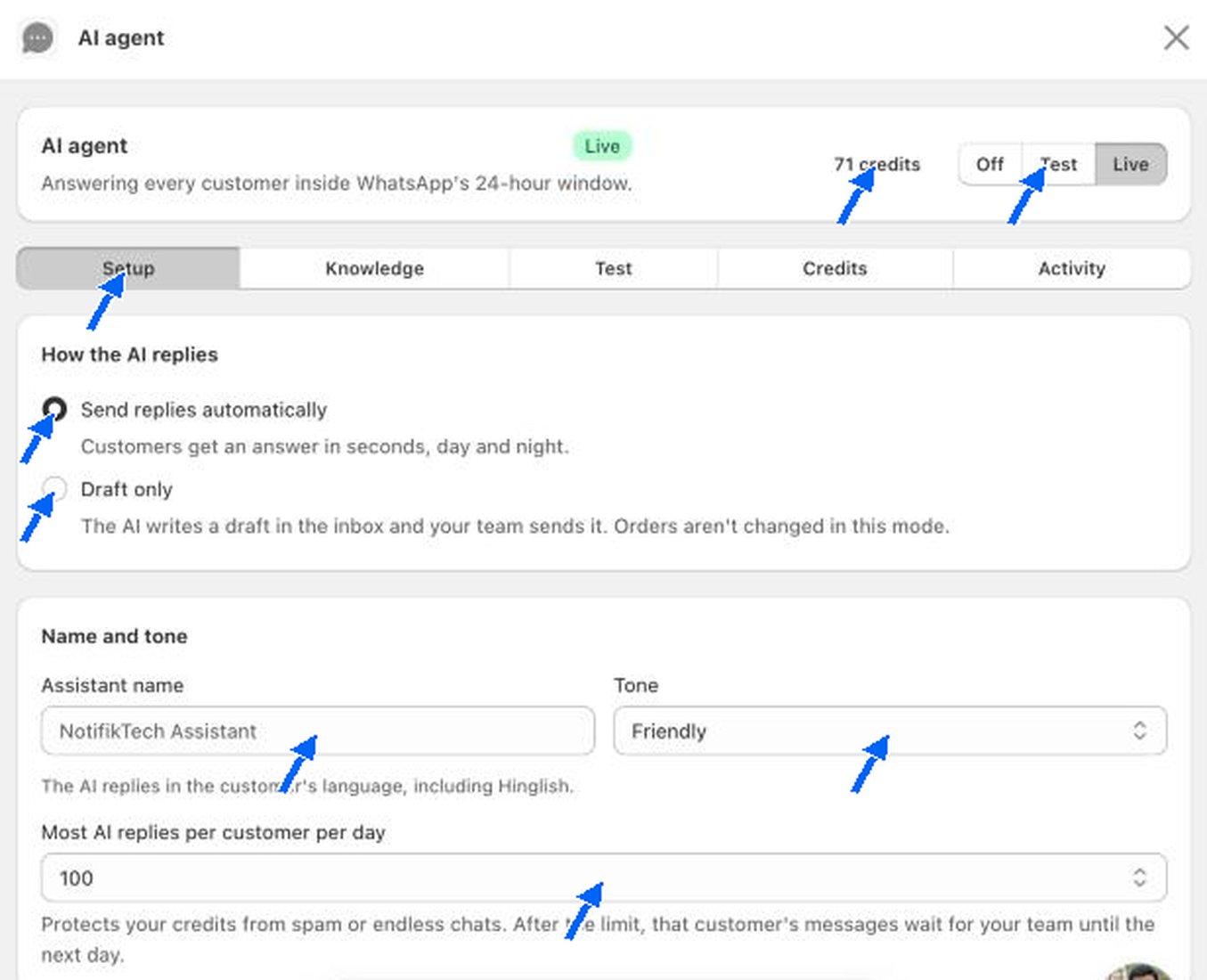
How the AI replies
Name and tone
- Assistant name. The name the AI uses for itself, for example “NotifikTech Assistant”. It shows as AI assistant in the conversation.
- Tone. Choose how the AI sounds. The test store uses Friendly.
- Most AI replies per customer per day. The test store uses 100. This protects your credits from spam and endless chats. After the limit, that customer’s messages wait for your team until the next day.
What the AI handles
Each item is a tick box. Turn off anything you would rather answer yourself. Those chats go to your team.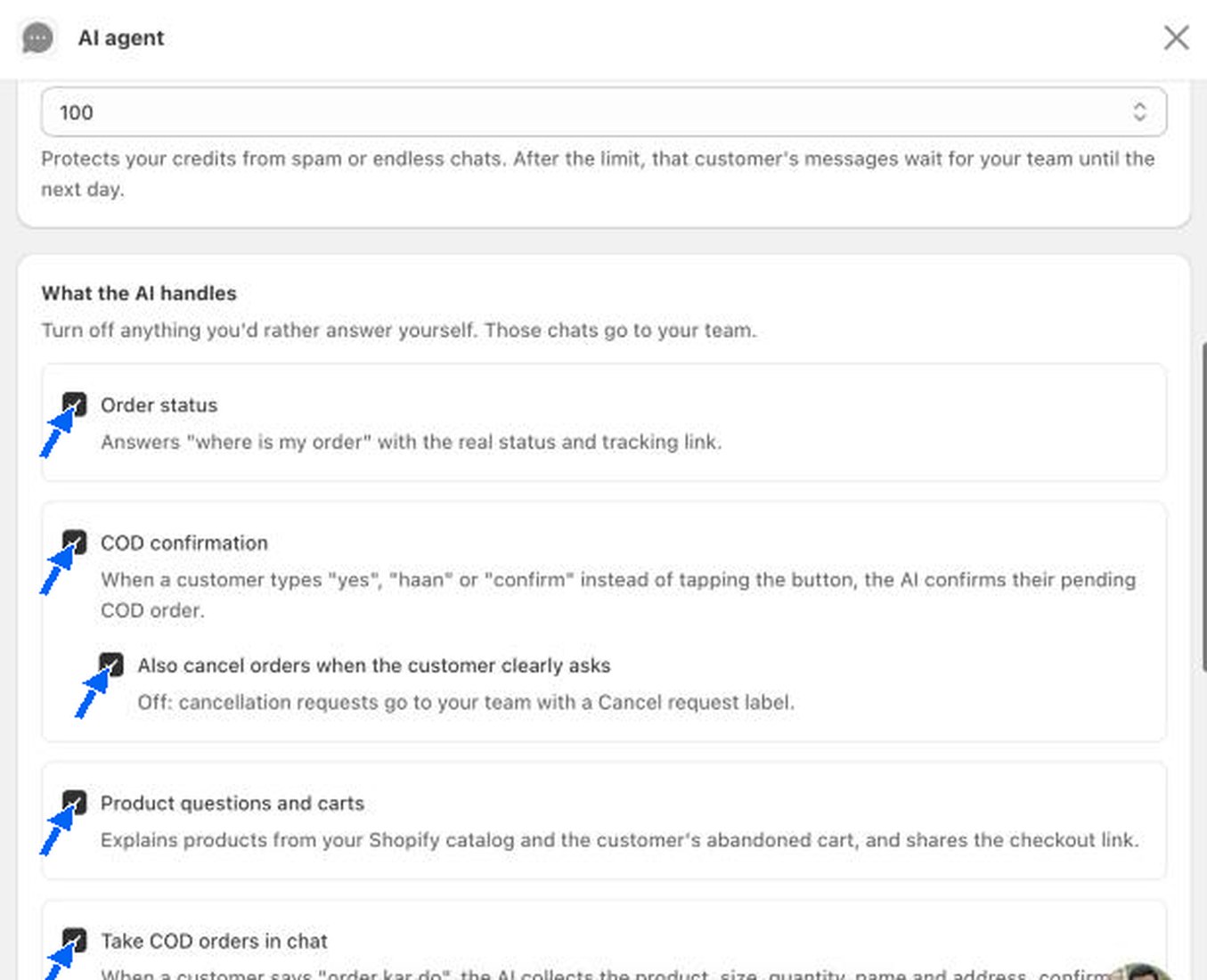
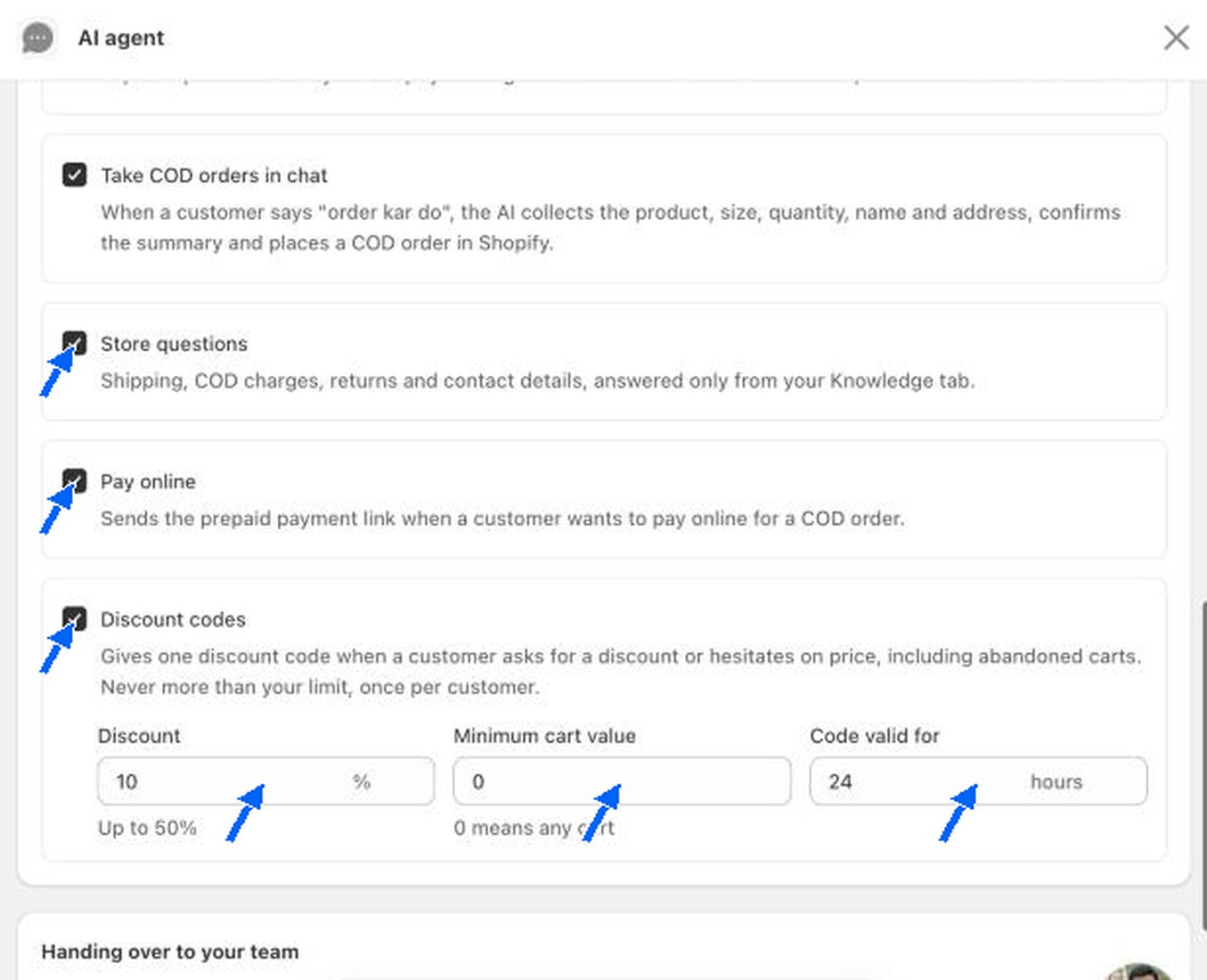
When Discount codes is ticked, set the limit:
Handing over to your team
The AI always passes these to your team: returns, refunds, exchanges, address changes, complaints, photos and voice notes, requests to speak to a person, and anything the AI is not sure about.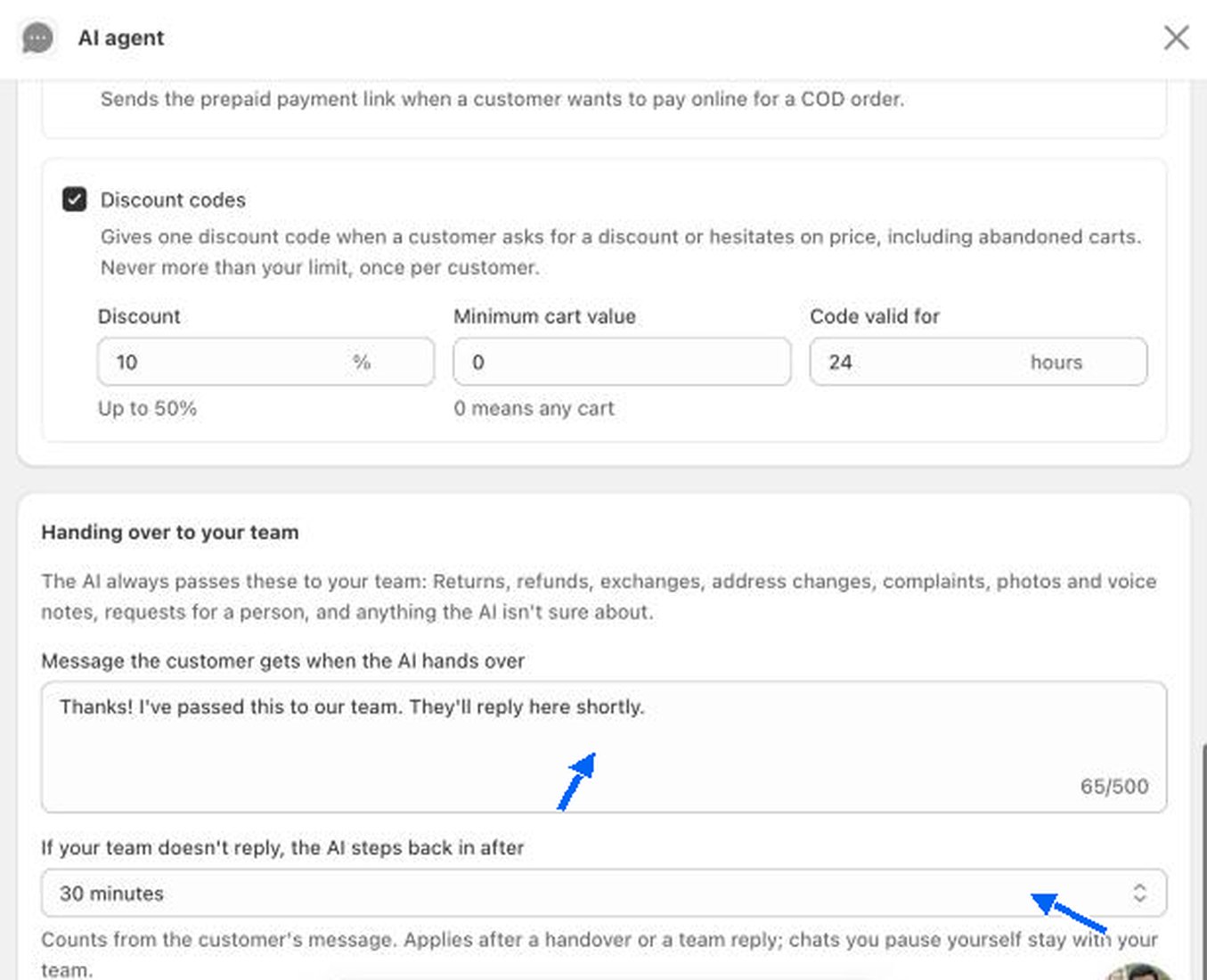
- Message the customer gets when the AI hands over. The text the customer sees, up to 500 characters. The test store uses “Thanks! I’ve passed this to our team. They’ll reply here shortly.”
- If your team doesn’t reply, the AI steps back in after. The test store uses 30 minutes. The time counts from the customer’s message. It applies after a handover or after a team reply. Chats you pause yourself stay with your team.
Knowledge, test, credits and activity
Teach the AI about your store, try it, buy credits and review what it did.
WhatsApp inbox
Where the AI’s replies appear.