
Customer Notifications – COD King
COD King provides a powerful set of automated customer notifications to keep your customers informed at every stage of their shopping journey. These notifications help increase trust, improve communication, reduce RTO, and boost conversions.
How to Set Up App Notifications in the COD KING App:
Open the COD KING app from your Shopify dashboard.
Click on the “Features” tab in the left-hand menu.
Scroll to the Customer Engagement section.
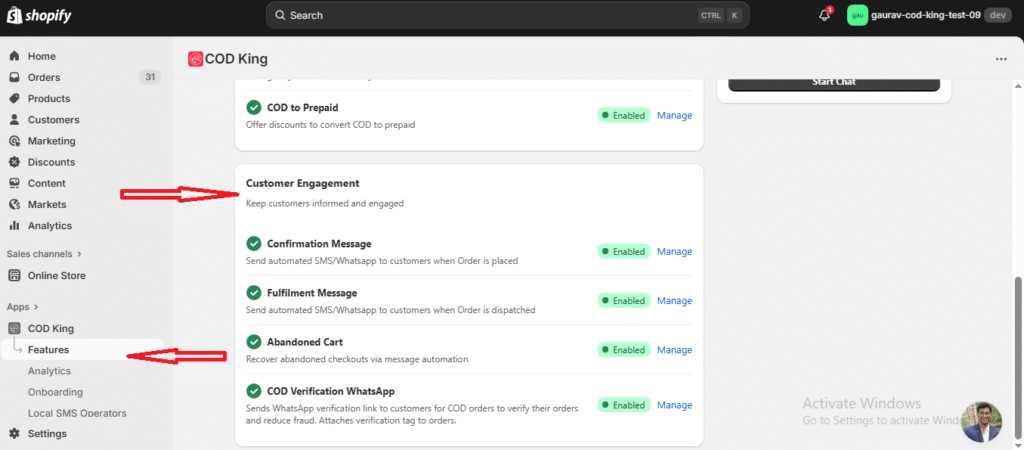
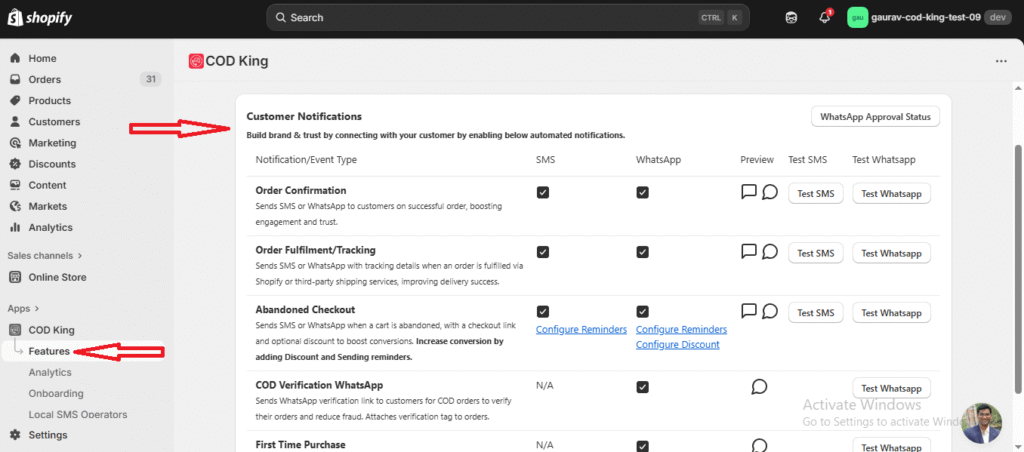
By clicking on ‘Manage’ in the customer notification section, you can enable or disable sending notifications via SMS or WhatsApp. You can also test the feature from there.
Below are all the customer notification types available in COD King:
Order Confirmation:
What it Does
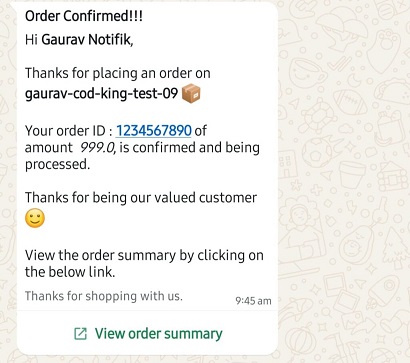
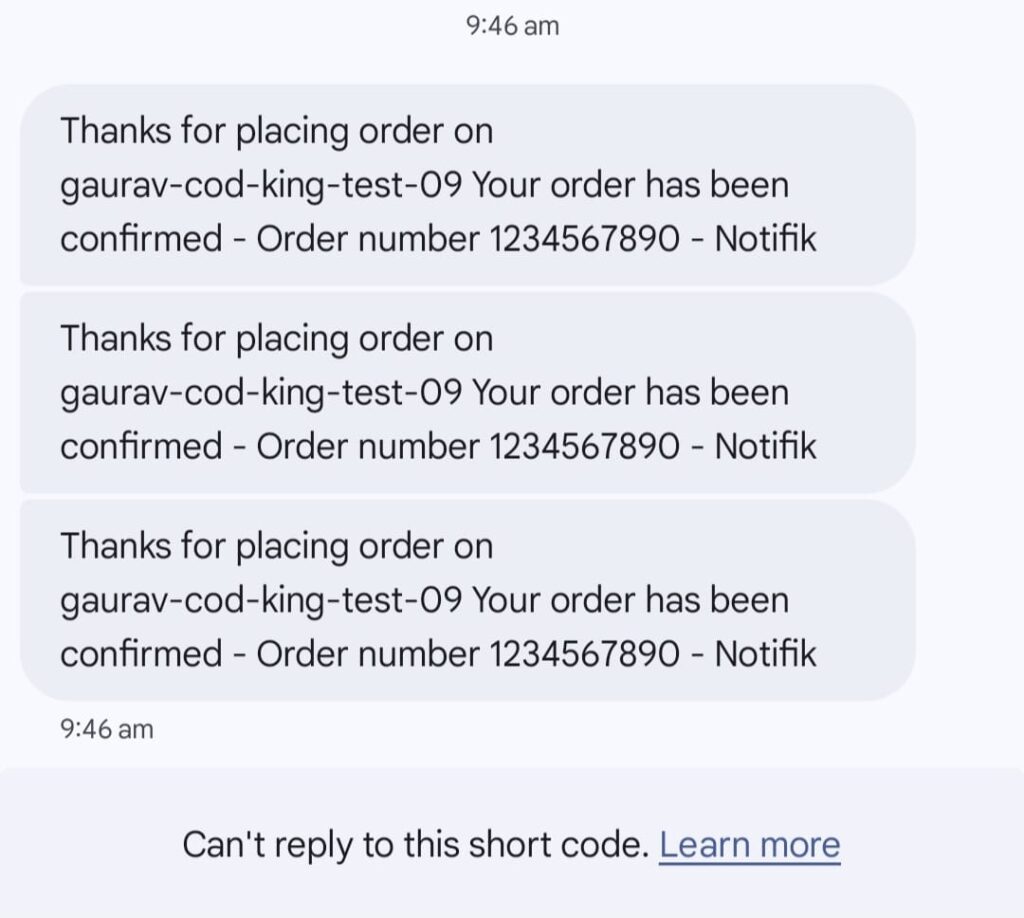
This notification is automatically sent to customers immediately after they successfully place an order (COD or prepaid).
Where It Sends
- SMS
What the Customer Receives
- A confirmation message
- Order ID
- Order summary (optional)
- Thank you note
- Brand name or store name
Why It’s Important
- Builds instant trust
- Helps reduce confusion and accidental cancellations
- Gives customers confidence that their order was received
- Improves overall customer experience
Best Use Cases
- Stores with high COD order volume
- Stores facing customer hesitation after placing orders
- Brands wanting a professional, automated communication flow
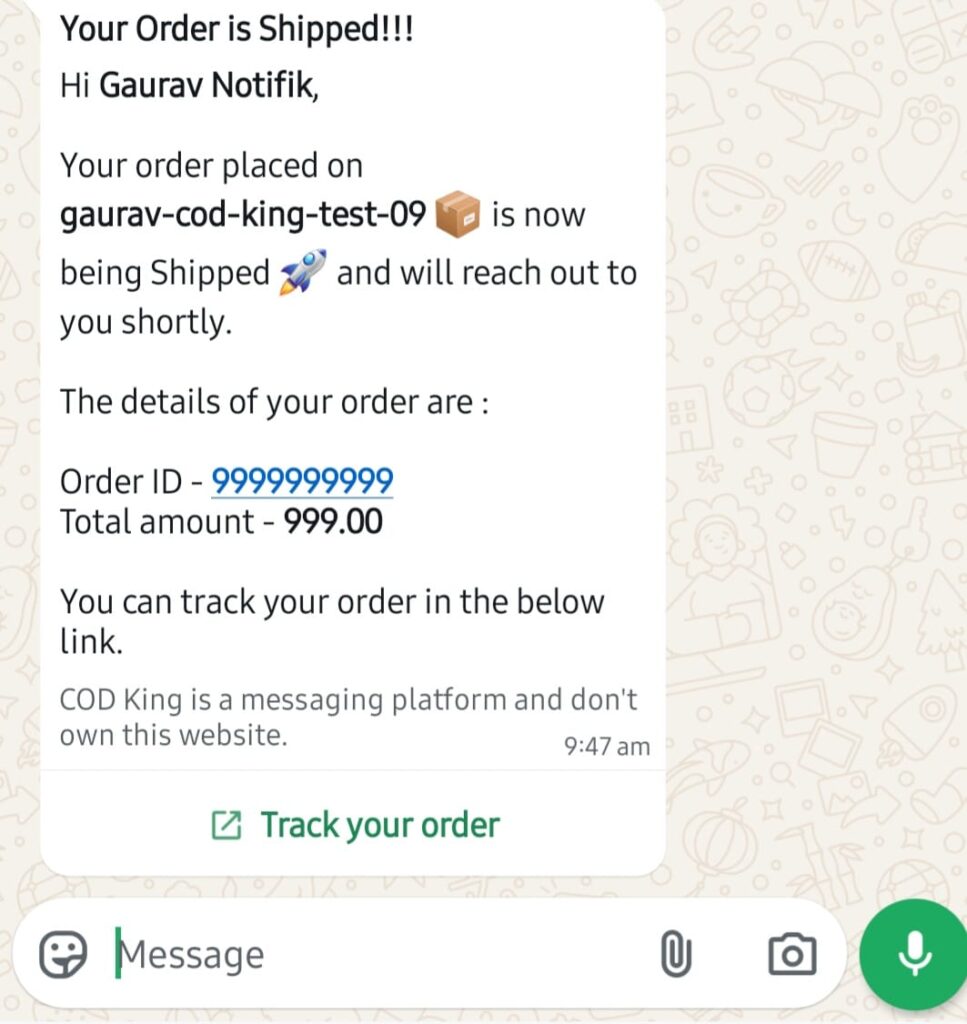
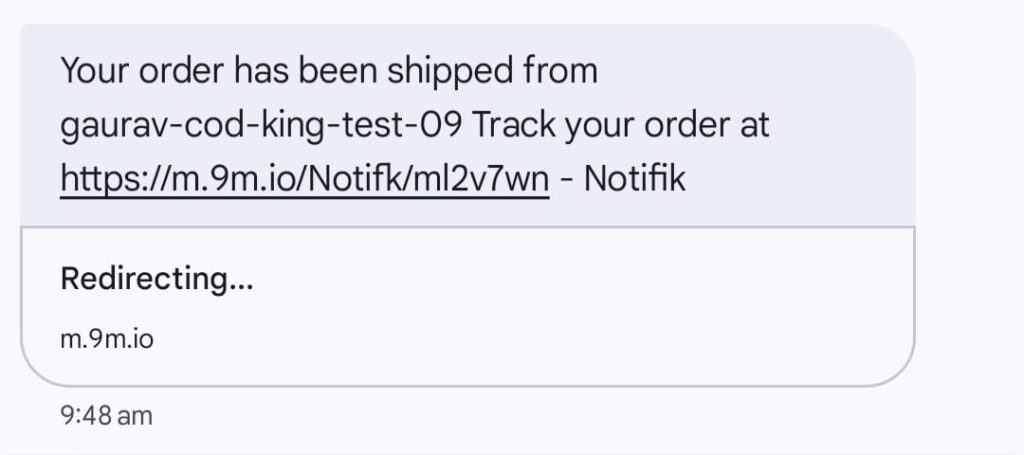
Order Fulfillment / Tracking Notification:
What it Does
Once the order is fulfilled inside Shopify, COD King sends the customer a tracking link.
Where It Sends
- SMS
What the Customer Receives
- Tracking link
- Courier partner details (if available)
- Estimated delivery message
- Order ID
Why It’s Important
- Keeps customers updated about delivery progress
- Reduces “Where is my order?” support queries
- Improves delivery success by reducing missed deliveries
- Builds trust through real-time updates
Best Use Cases
- Stores dispatching through multiple shipping partners
- Stores wanting fewer customer queries
- Businesses wanting to improve delivery performance
Abandoned Checkout Notification:
What it Does
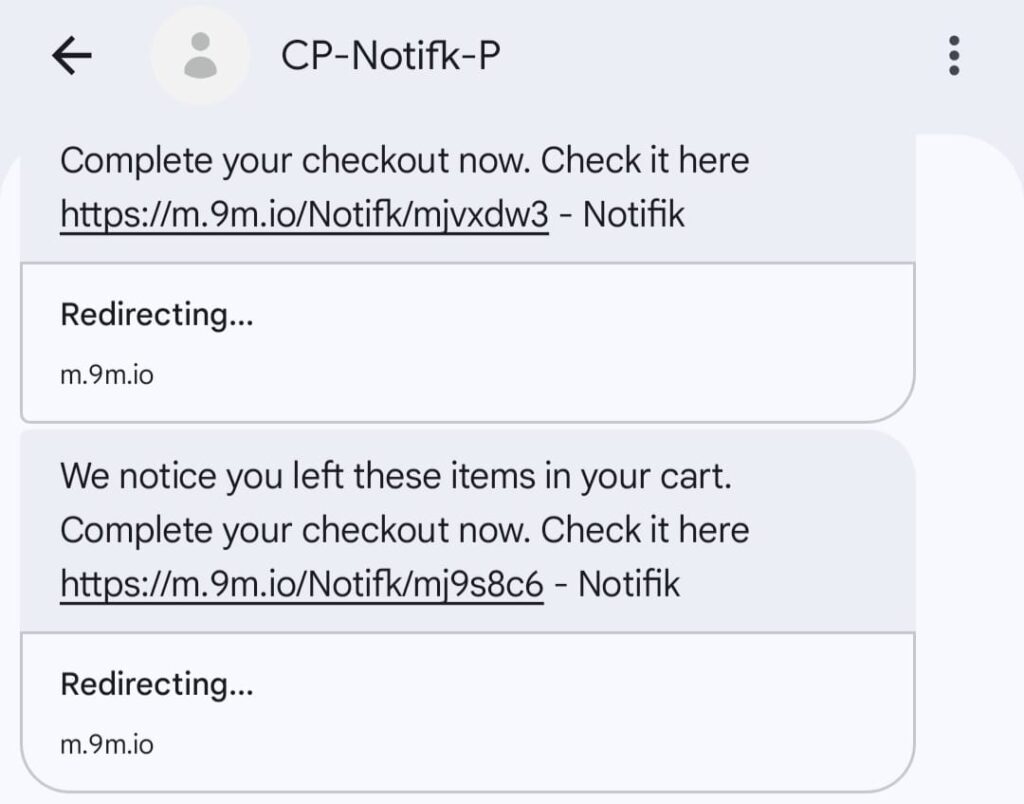
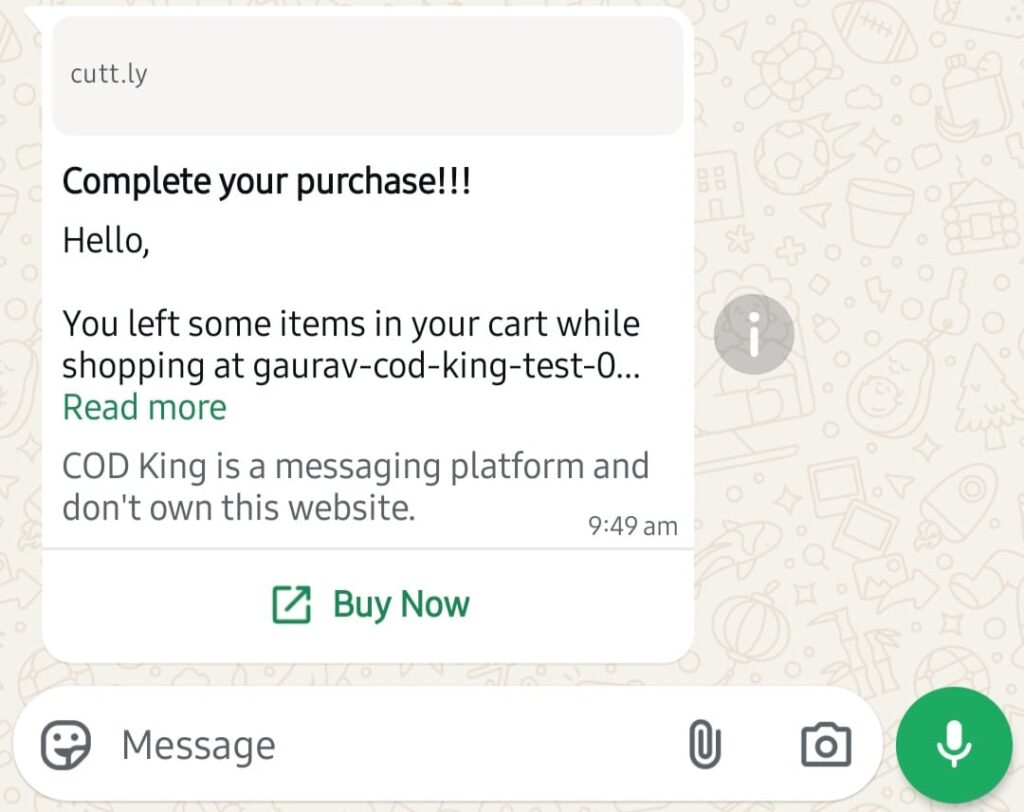
If a customer reaches checkout but does not complete payment, COD King sends automated reminders to bring them back.
Where It Sends
- SMS
What the Customer Receives
- Reminder message
- Checkout recovery link
- Optional discount
- Friendly nudge to complete the purchase
Customization Options
- Add discount codes
- Add multiple reminder timings (e.g., 15 min, 1 hr, 24 hr)
- Customize message template
- Add emoticons or brand tone
- Toggle ON/OFF for specific reminders
Why It’s Important
- Recovers lost sales automatically
- Significantly increases conversions
- Works 24/7 without manual follow-ups
Best Use Cases
- Stores with high abandoned checkout rates
- Stores wanting to boost conversion without ads
- COD stores where customers often hesitate at checkout
COD Verification (WhatsApp):
What it Does
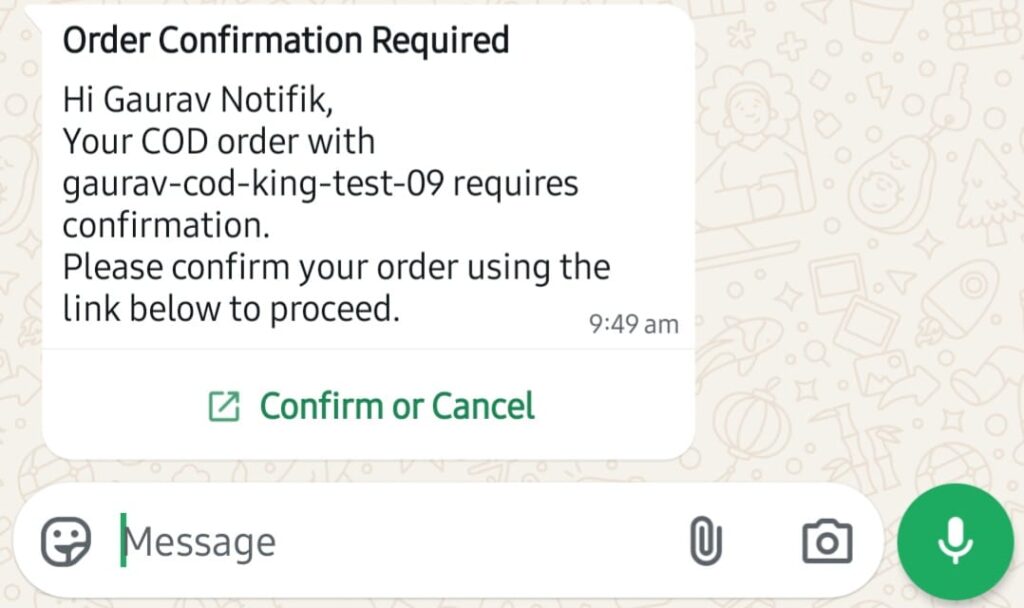
For every COD order, COD King sends a WhatsApp verification link to confirm the customer’s order before it is processed.
Where It Sends
- WhatsApp only (best for verification)
What the Customer Receives
- Unique verification link
- “Confirm Order” / “Cancel Order” options
- Secure verification page
How It Helps Merchants
- Prevents fake COD orders
- Reduces RTO (Return to Origin)
- Identifies genuine customers
- Automatically tags orders as “Verified” inside Shopify
Why It’s Important
COD orders often face:
- Fake numbers
- Wrong addresses
- Customers changing their minds
- High return-to-origin rates
Verification solves these issues before shipment.
Best Use Cases
- Stores with heavy COD traffic
- High-value product stores
- Fashion, electronics, and footwear stores
- Stores struggling with high RTO
First-Time Purchase Notification:
What it Does
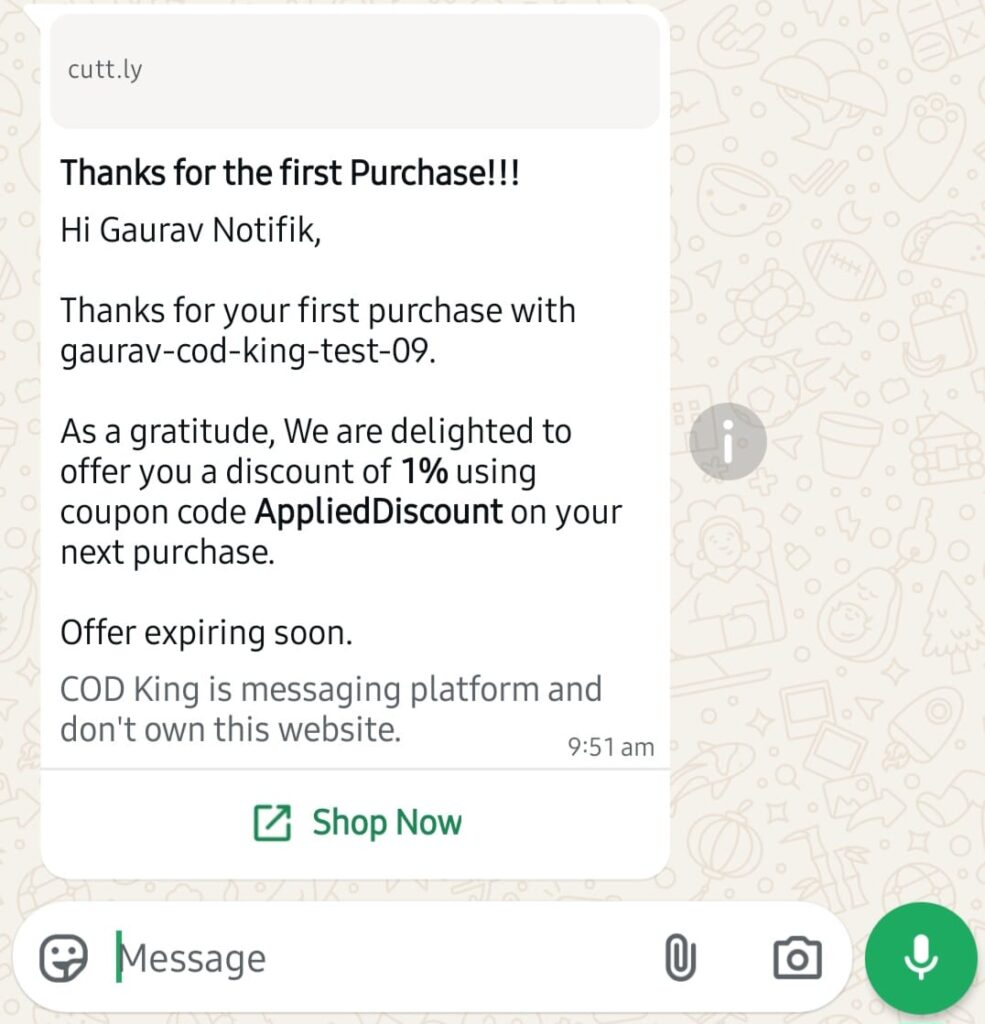
When a customer places their first-ever order, COD King sends a welcome message usually with an optional discount for their next order.
Where It Sends
What the Customer Receives
- Welcome message
- Thank-you note
- Discount code (optional)
- Brand introduction
Why It’s Important
- Builds loyalty from day 1
- Encourages repeat purchases
- Helps customers feel valued
- Increases long-term customer retention
Best Use Cases
- New brands wanting to grow customer relationships
- Stores focusing on repeat buyers
- Stores with strong branding or loyalty programs
Where to View Sent Messages in Message Logs:
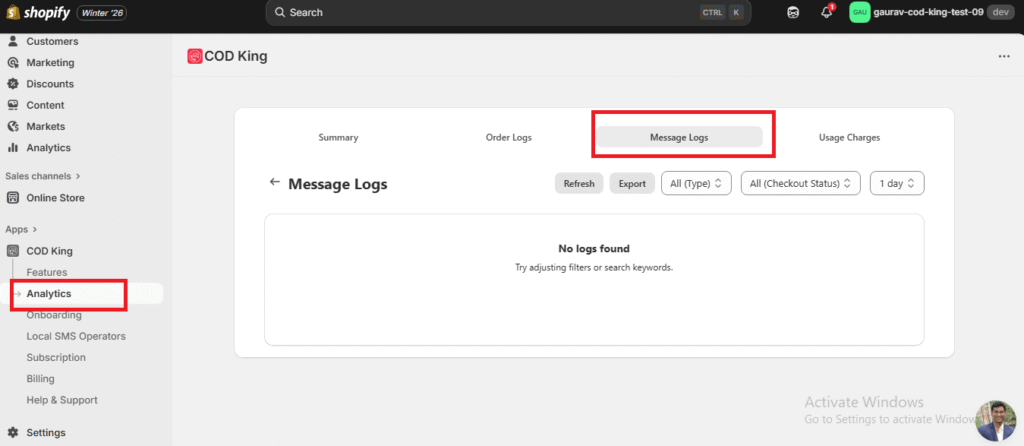
How to Access Message Logs
- Open the COD King app.
- Go to Analytics from the main menu.
- Select Message Logs.
If you need any assistance while setting up the Customer Notifications feature or have questions about any option, feel free to reach out to us.
We’re always here to help!
mail to:support@notifiktech.com
