
Convert your COD orders to Prepaid by offering discount
What Is Prepaid?
Prepaid payment means paying in advance for orders placed before actually getting the product in hand.
Why should we convert COD order to prepaid ?
Customer pays the full amount online before delivery. This encourage customers who usually choose Cash on Delivery (COD) to switch to Prepaid by offering a discount incentive.
Prepaid Payment Key Benefits to Merchants
| Key Benefits | Merchants |
| Financial Control | Immediate cash flow improves inventory and operations |
| Convenience | Reduces reliance on COD and speeds up order processing |
| Security | Lower fraud and fake order rates |
| Commitment | Fewer cancellations and returns (lower RTO) |
| Incentives | Encourages prepaid behavior with targeted offers/discounts |
| Inclusivity | Expands reach to broader customer segments |
| Operational Efficiency | Streamlines logistics and reduces delivery failures |
Why It Matters
- Over a 65% of e-commerce orders via COD, but many are returned due to non-acceptance.
- COD Prepaid helps balance trust and operational efficiency, especially for new or budget-conscious buyers.
How to enable COD to Prepaid in COD King
- Install and Launch COD King App using the below link
https://apps.shopify.com/cash-on-delivery-cod-order-confirmation
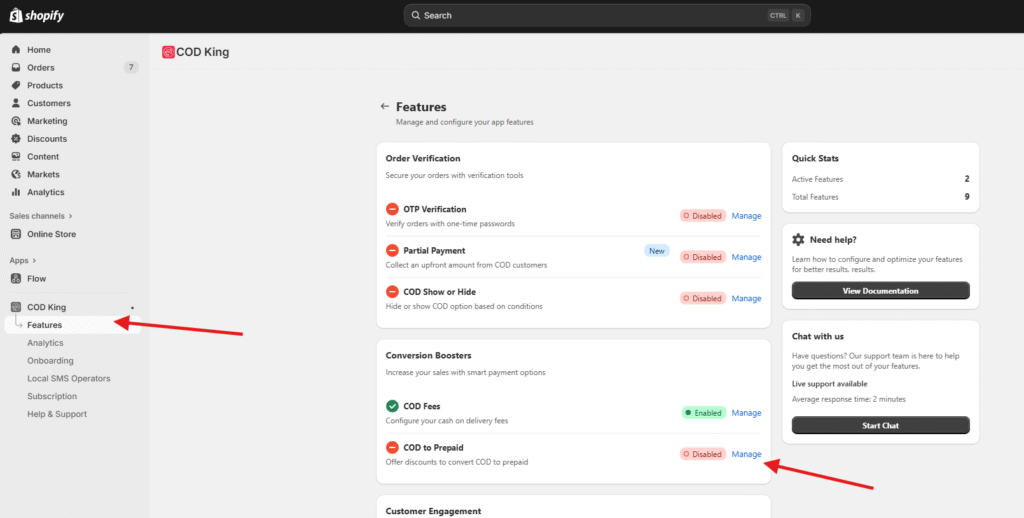
- Under COD King Features option click manage in COD to Prepaid option
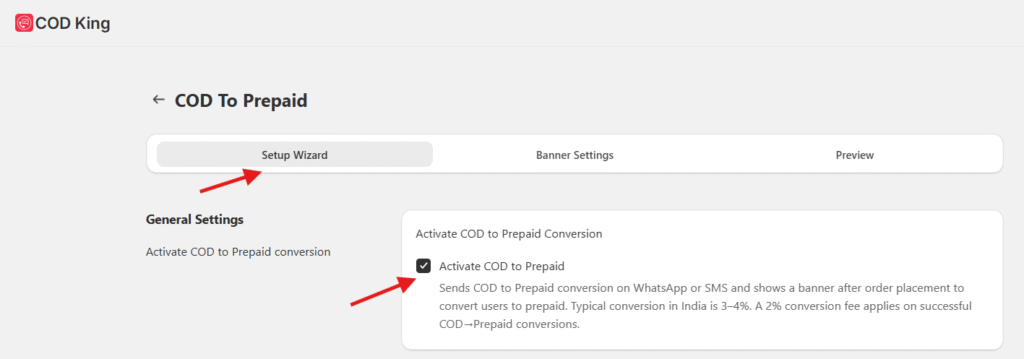
- Under setup wizard Activate COD to Prepaid and save
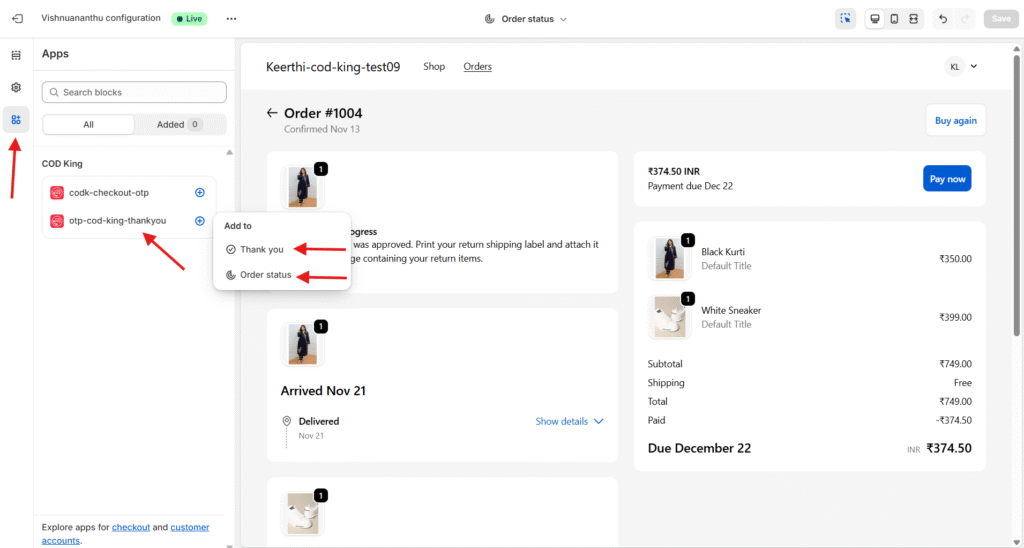
- To enable the extensions click on the Thank You Page Setting in Set Guide

- Under Apps enable Thank you page and Order status and hit save
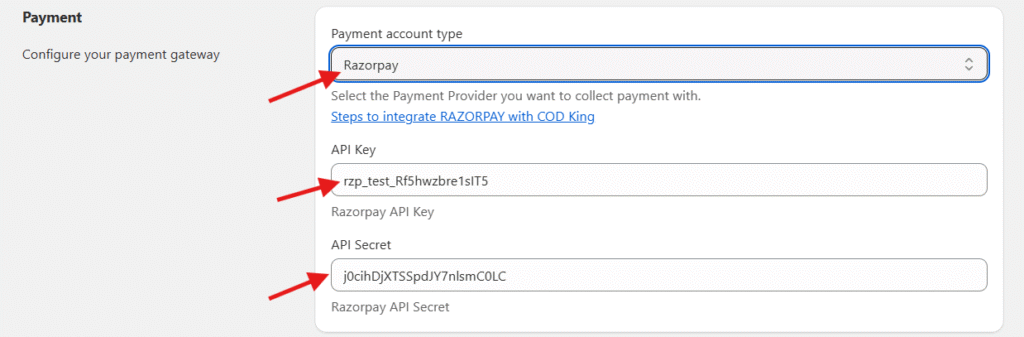
- Under Payment set the Payment account type Ex: Razorpay and provide the API Key & API secret for Razorpay
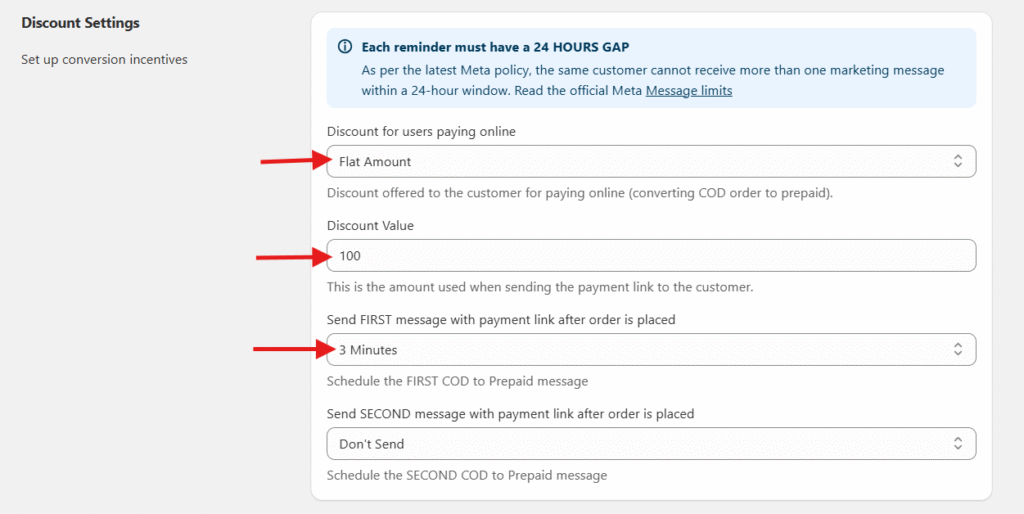
- Select the Discount type and Value for users paying online. You can also set time for first message with payment link once order is placed and save.
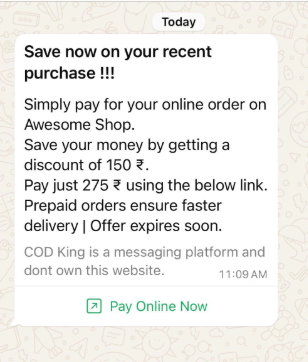
- The whatsapp message will look like as below
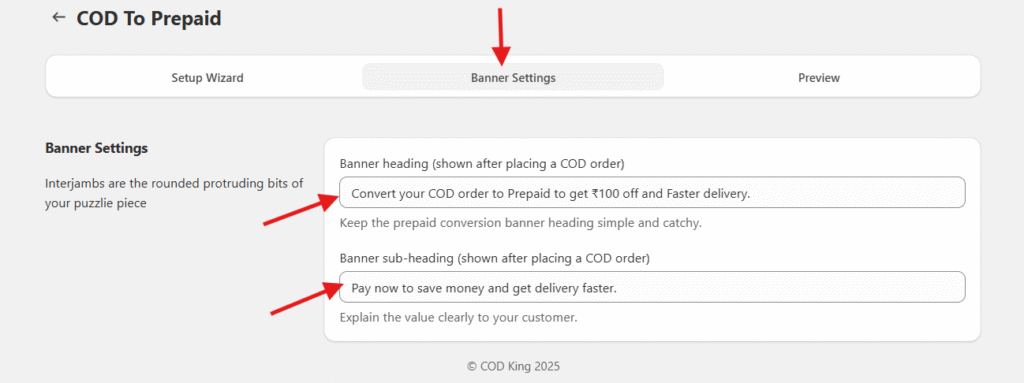
- Go to Banner settings, here we can customize what to be displayed in the Pop-up after order is placed
- Test the flow from your online store and you will be getting the below page once order is placed

- Once Pay Now button is clicked you will be redirected to another page to pay online and avail the offer as shown below
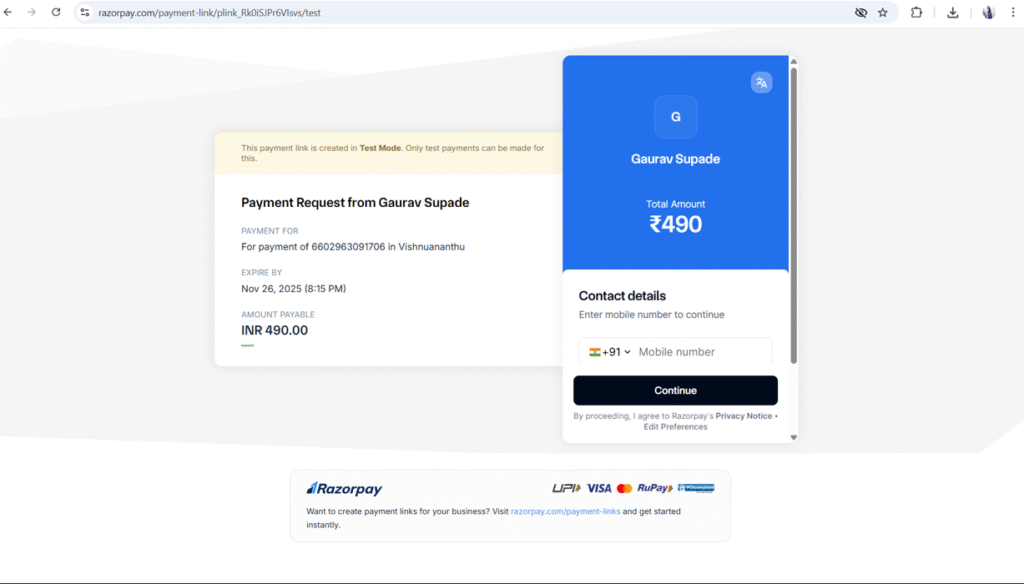
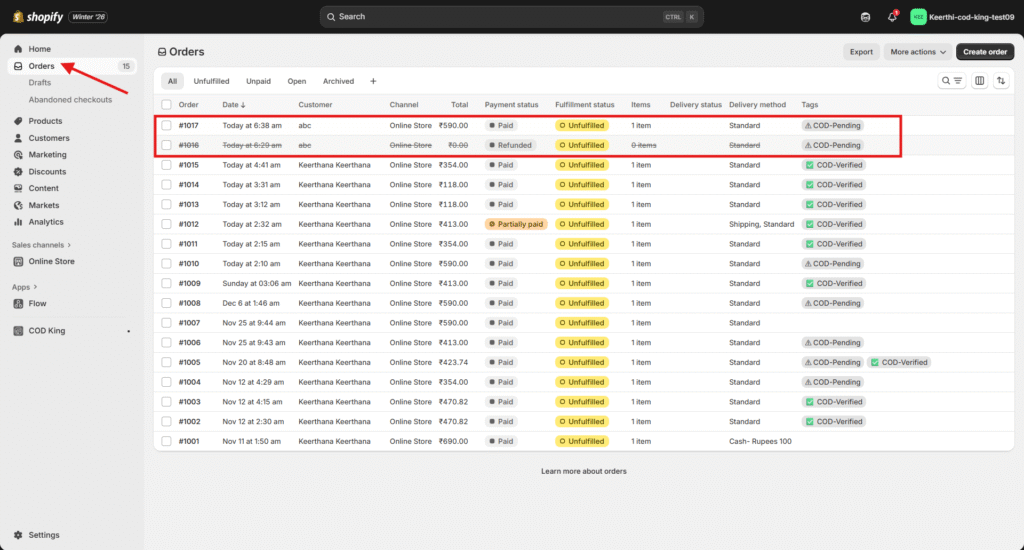
- Once payment is converted to prepaid, the initial order for COD will get cancelled and a new order will get created.
For any inquiries or support, please email us at support@notifiktech.com. We’ll make sure to get back to you as soon as possible
