
Understanding and Steps to set up Pre Order OTP Verification (Before Order)
Pre-order OTP in the COD King app is a security feature that verifies a customer’s mobile number via a One-Time Password (OTP) before the Cash on Delivery (COD) order is placed.
The purpose of Pre-Order OTP in the COD King app is to ensure order authenticity and reduce return-to-origin (RTO) losses for Cash on Delivery (COD) orders
Primary Objectives of Pre-Order OTP
- Mobile Number Verification
Confirms that the customer has provided a valid and reachable mobile number before placing a COD order. - Fraud Prevention
Filters out fake, prank, or non-serious orders by requiring OTP confirmation before checkout. - RTO Reduction
Minimizes the chances of undeliverable orders, which often result in costly logistics and inventory losses. - Delivery Success Optimization
Ensures that only verified and reachable customers proceed with COD orders, improving delivery rates. - Cost Efficiency
Saves operational costs by preventing invalid orders from entering the fulfillment pipeline.
Here’s the importance of Pre-order OTP in the COD King app for both merchants and customers:
Benefits For Merchants
- Fraud Prevention
Verifies mobile numbers before order placement, filtering out fake or prank COD orders. - Reduced RTO (Return to Origin)
Ensures only genuine orders are processed, minimizing costly returns and logistics losses. - Improved Delivery Success Rate
Orders are placed by reachable and responsive customers, increasing successful deliveries. - Operational Efficiency
Saves time and resources by preventing invalid orders from entering the fulfillment pipeline. - Better Inventory Management
Reduces stock blockage due to undelivered or returned orders. - Enhanced Customer Data Quality
Builds a verified database of customer contacts for future marketing and support.

Benefits For Customers
- Order Confirmation Assurance
Customers receive a clear confirmation that their order is being processed. - Improved Communication
Verified mobile numbers ensure smoother coordination for delivery updates and support. - Trust and Transparency
Builds confidence in the merchant’s process, especially for first-time buyers. - Reduced Delivery Failures
Ensures the delivery team can reach the customer without issues, improving satisfaction.
Step-by-Step Setup: Pre-Order OTP in COD King
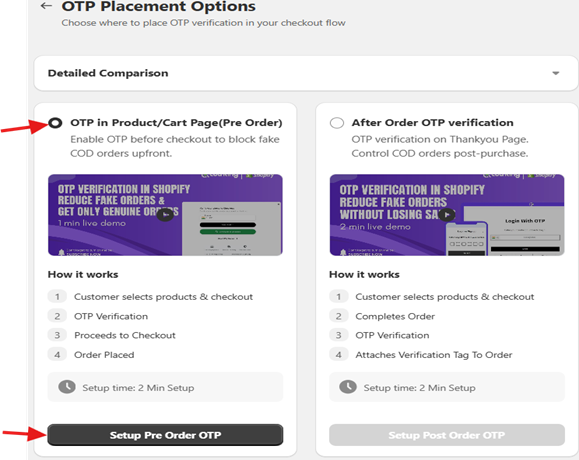
- Under COD King Features option click manage in OTP Verification option, now select OTP in Product/Cart Page(Pre-order) and click Setup Pre order OTP as shown below
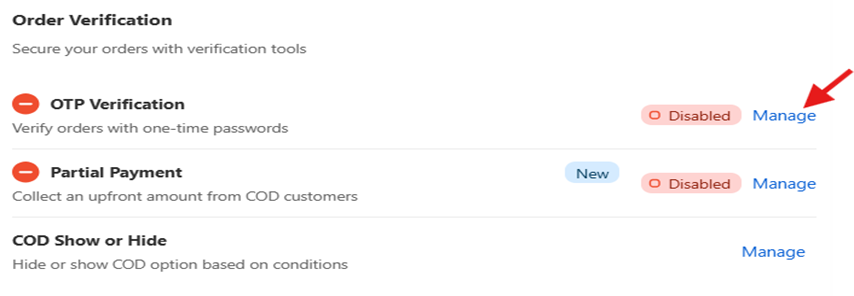
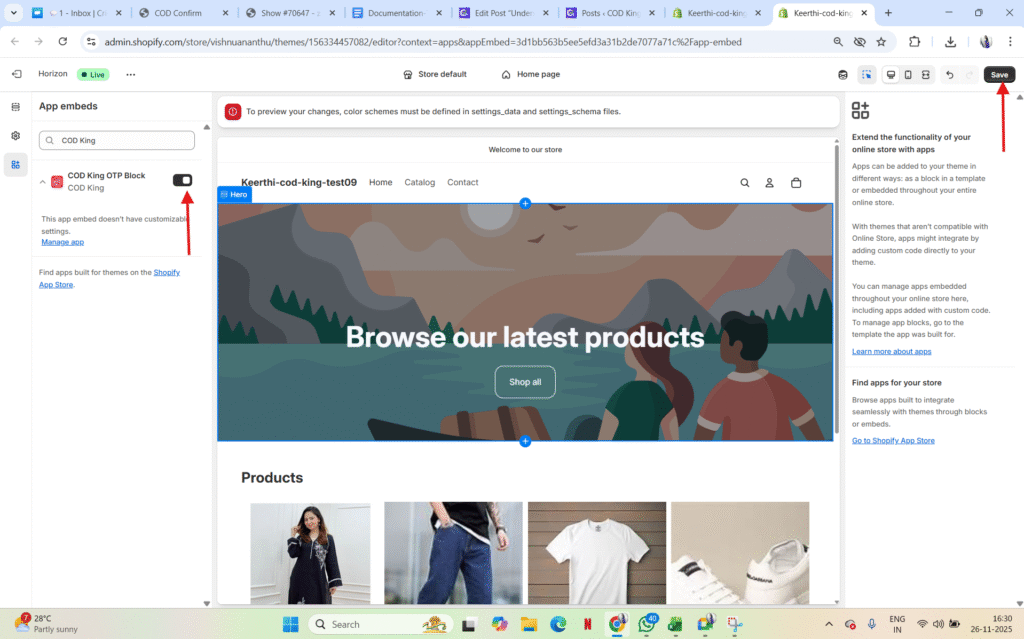
- We have to Enable Theme Integration in order to proceed further, now click Open Theme Editor
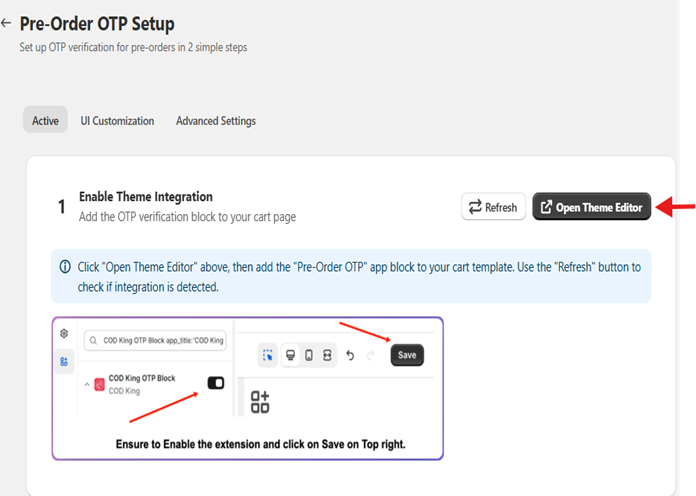
- A new page will appear make sure to enable the extension and hit save button
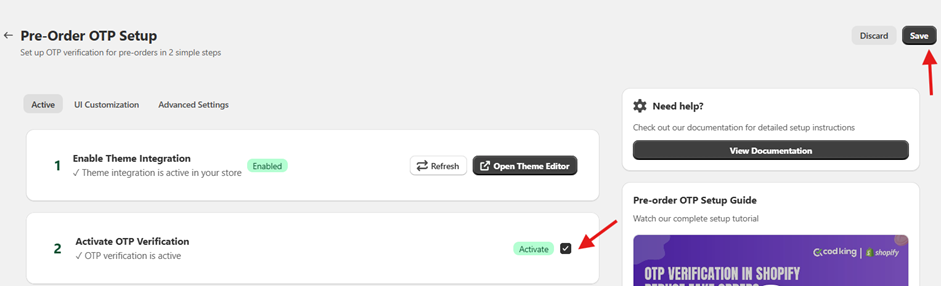
- Once done go back to the previous tab and select step 2 to Activate OTP Verification
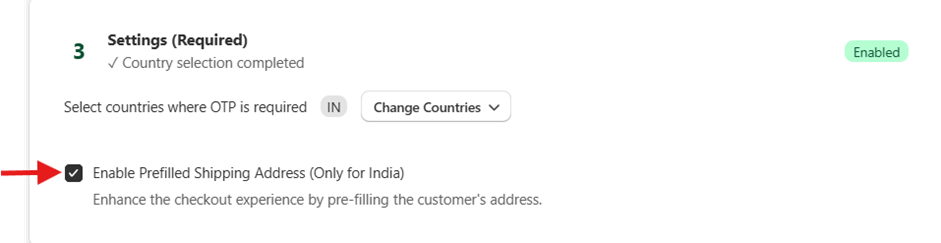
- Select the checkbox for Enable Prefilled Shipping Address (Only for India)
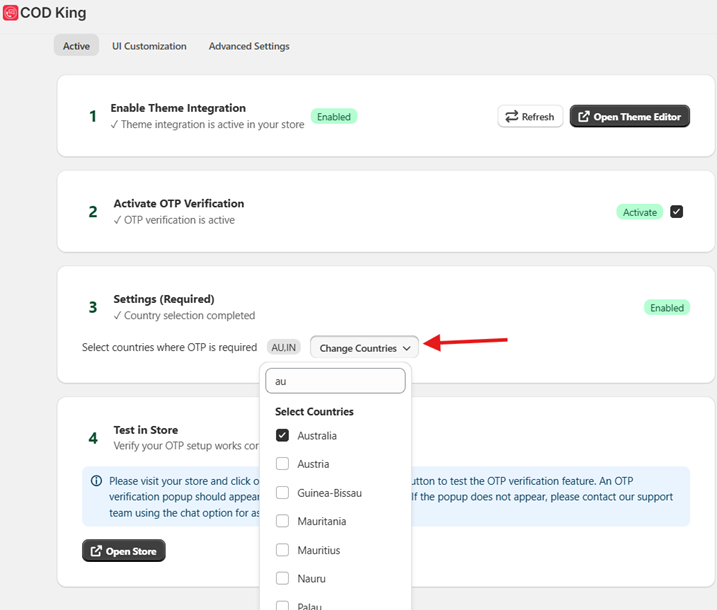
- Select the countries to which the OTP verification is required and save
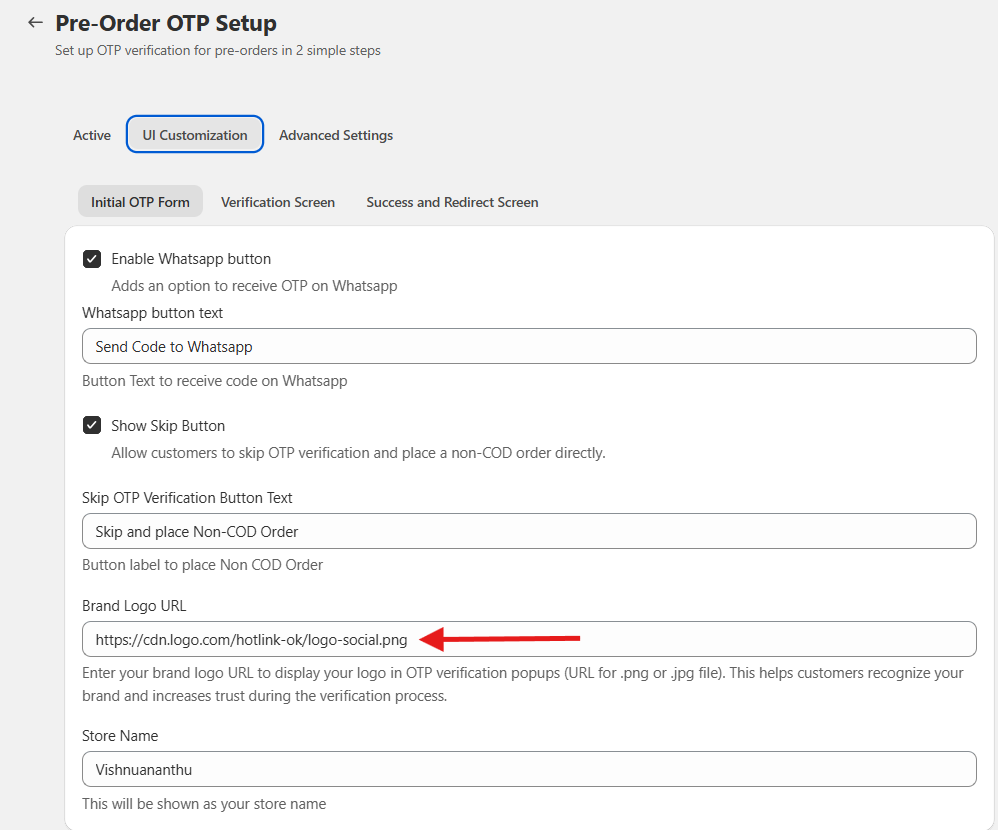
- Go to UI customization and update the URL link of the image logo to appear in the OTP verification dialog box
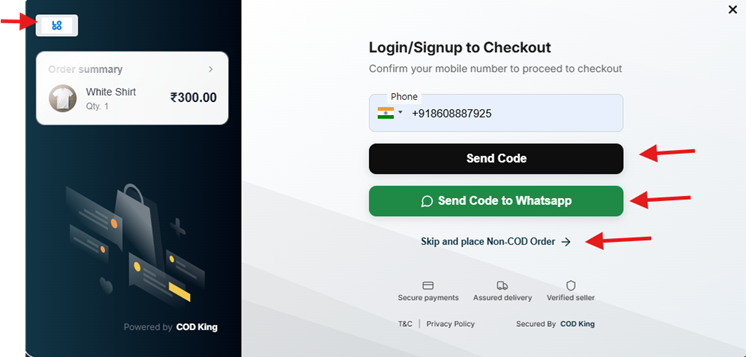
- Enable Whatsapp button, Show Skip Button to make the option appear during OTP verification
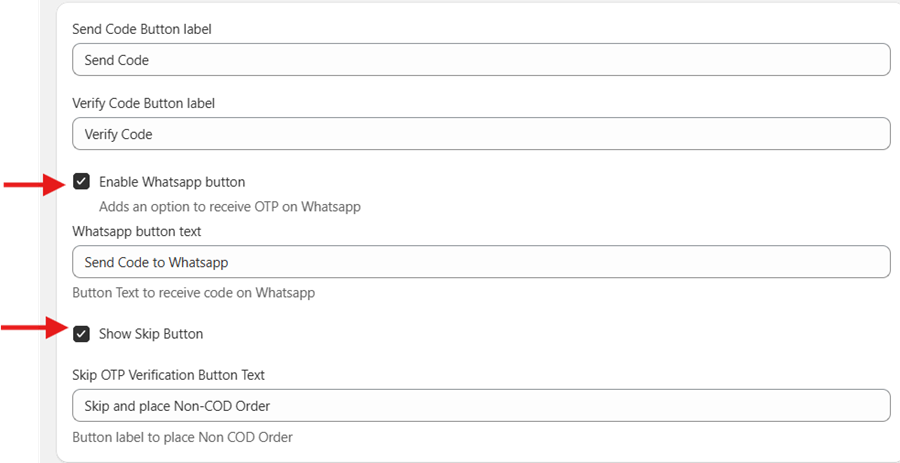
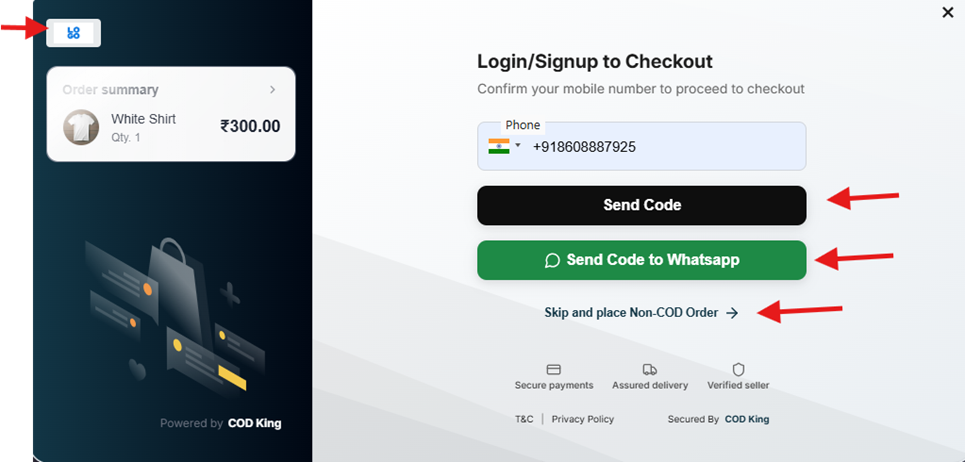
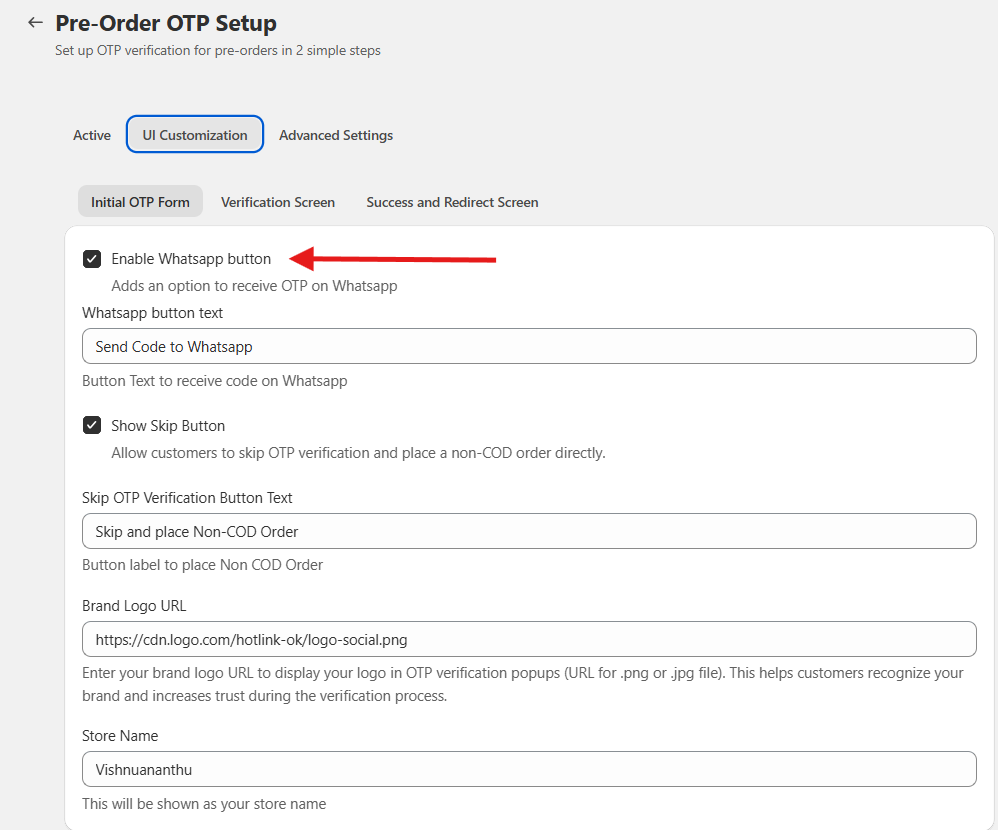
- Go to UI customization to send notification on WhatsApp, click on Enable WhatsApp button
- Click on Show Skip button to skip the OTP verification and place the order without COD option
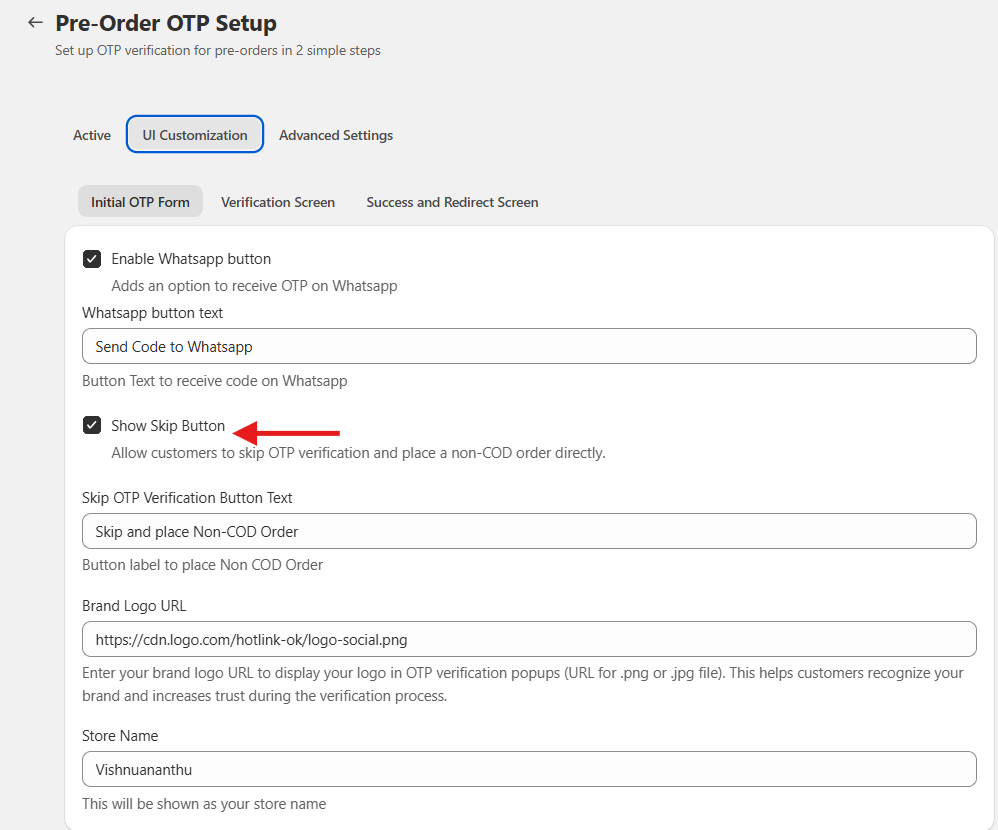
- We can also edit the label for Skip OTP verification button
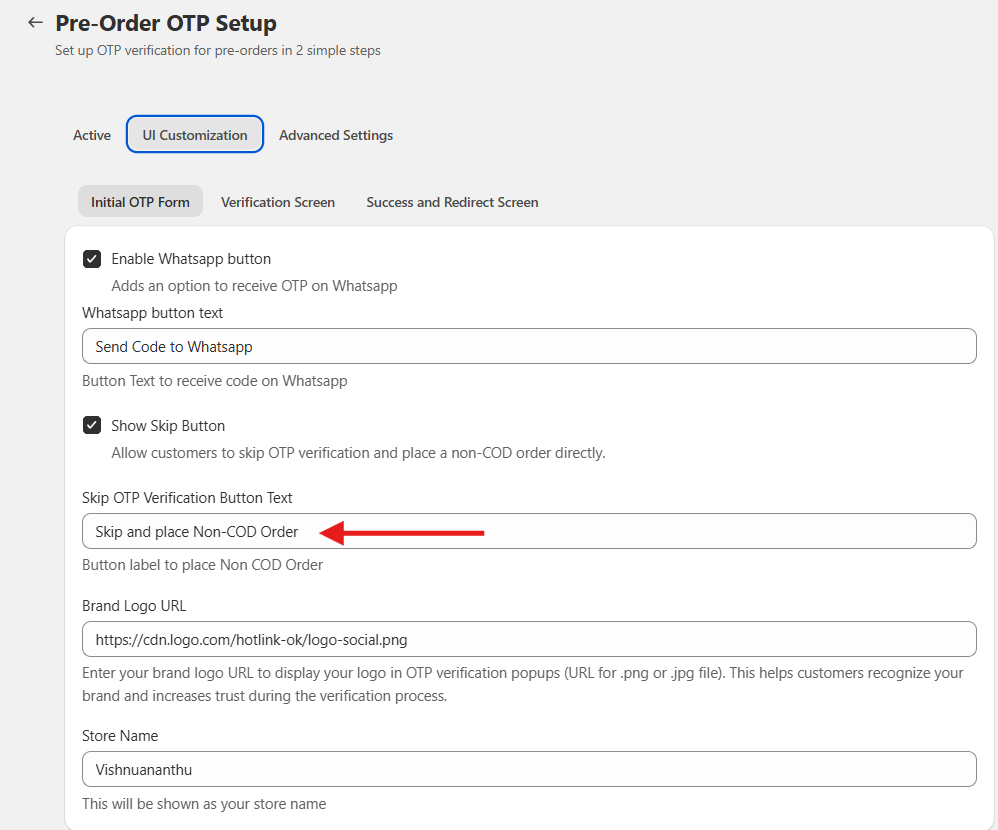
- We can update the Brand logo to be shown in the OTP pop-up by updating the image in URL
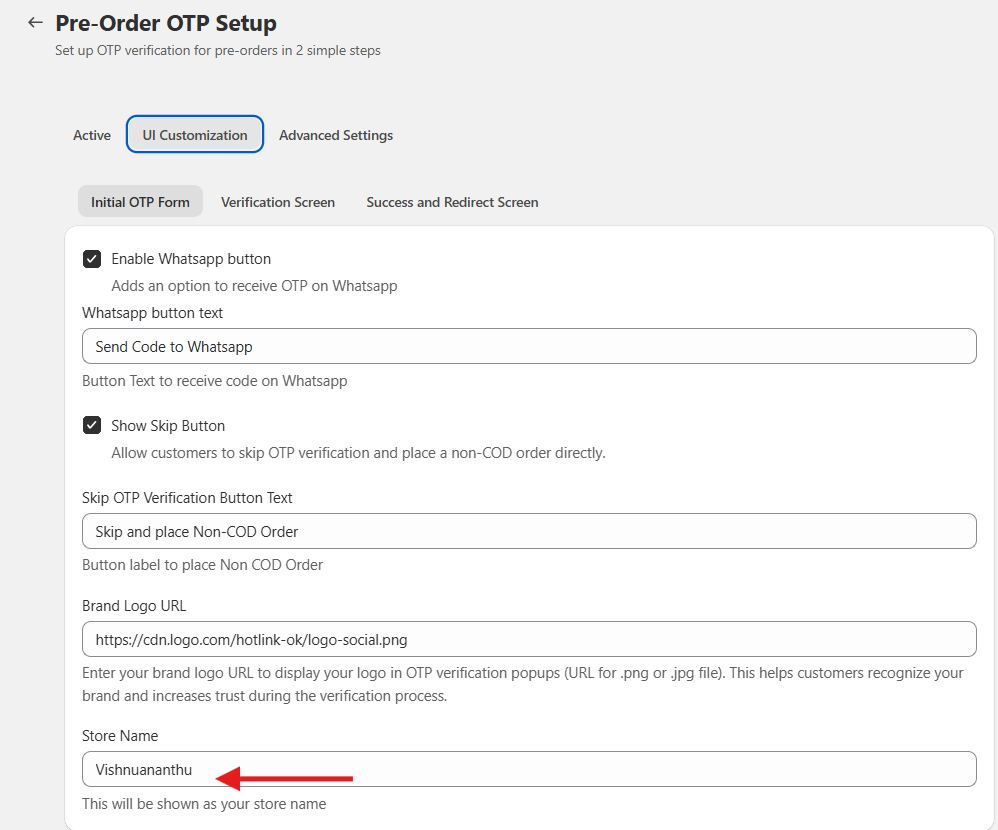
- Under Store Name you can show your Store’s name displayed
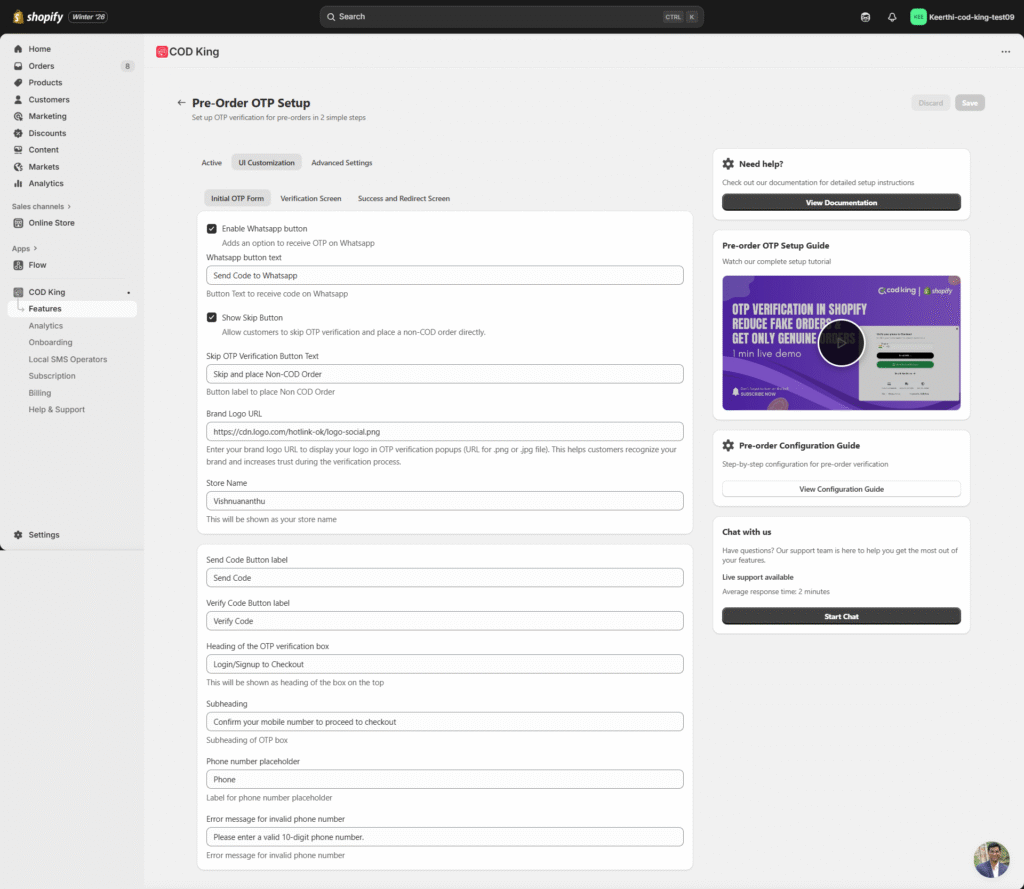
- You also have other options to edit the text for Send code, verify code, heading, etc.
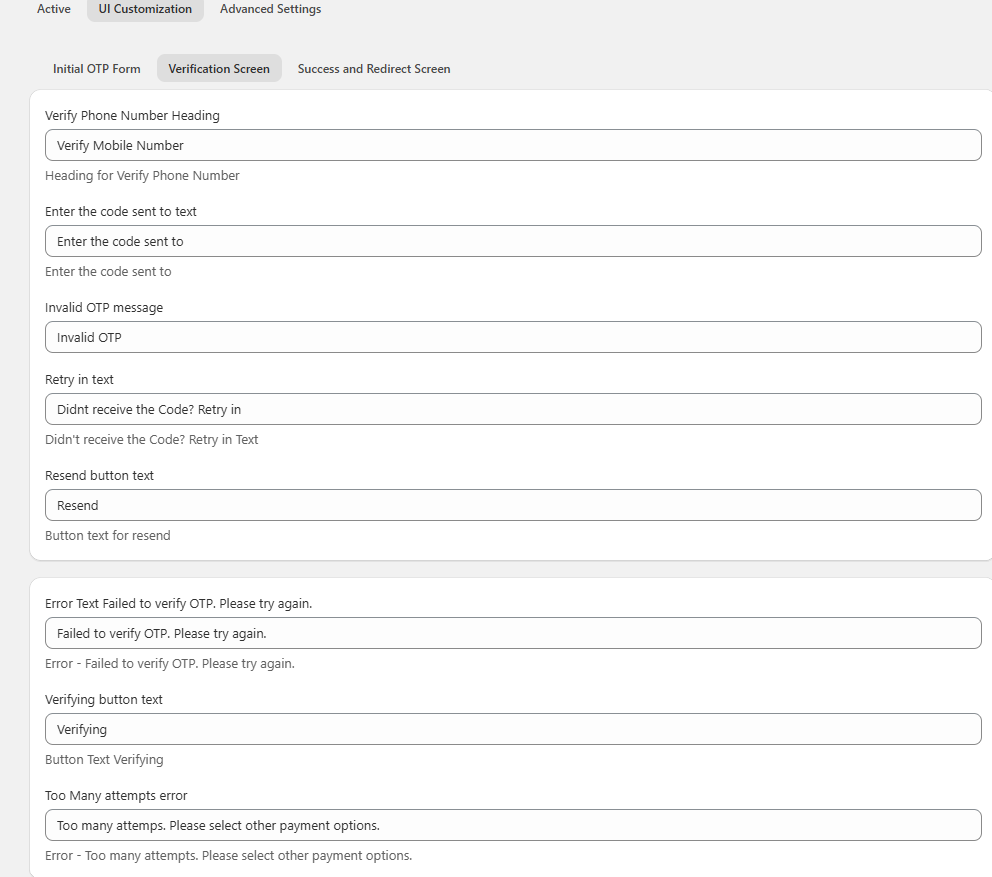
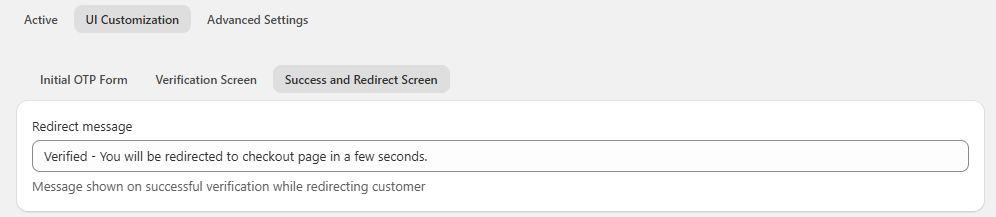
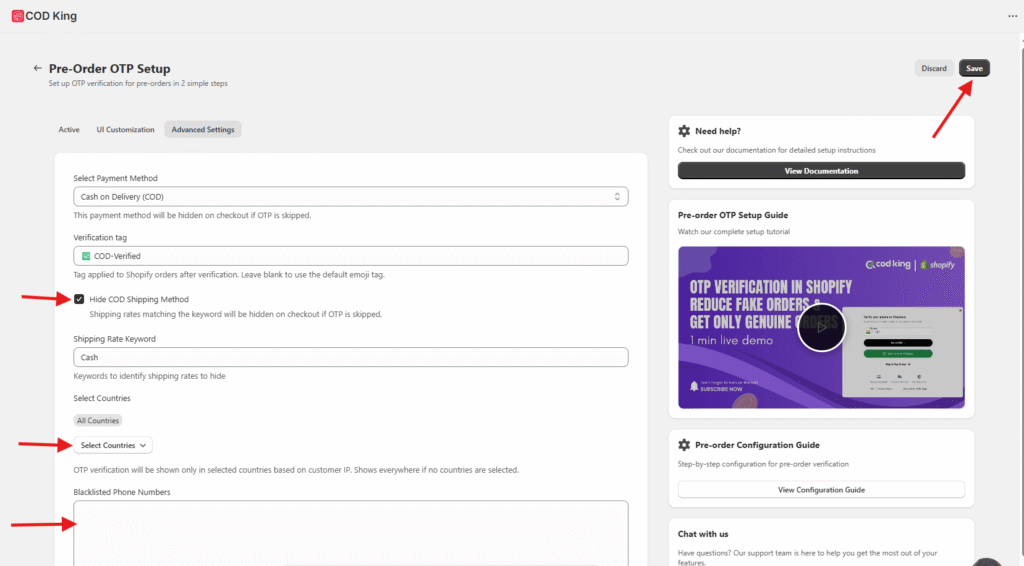
- Under Advanced settings, if Hide the COD Shipping Method is giving the customer will be directed to Check out page with COD option
- OTP pop-up will be shown only in selected countries based on customer IP. Shows everywhere if no countries are selected.
- We can also Blacklist the phone number, once done save the changes
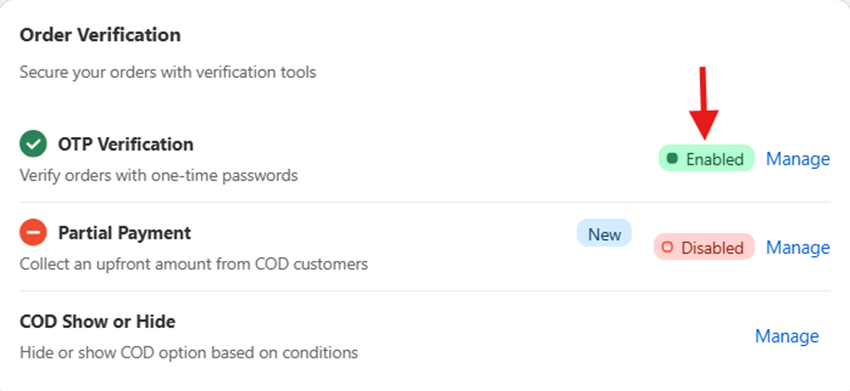
- Go back to previous tab and check the OTP verification option under COD King Features it will be Enabled as below
- Now if you go to the online store and Buy a product a dialog box will appear to enter the phone number to verify with the OTP to proceed further
- Once the phone number is given and click Send Code button an OTP will be sent to the respective Phone number provided
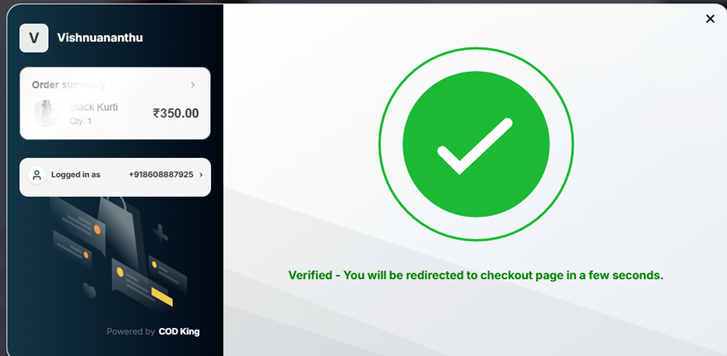
- Only after entering OTP the checkout page will be redirected
- Test the Flow
- Place a test COD order.
- Confirm that the OTP is triggered before checkout and must be verified to proceed
- Monitor Performance
- Use the dashboard to track:
- OTP success rates
- RTO reduction
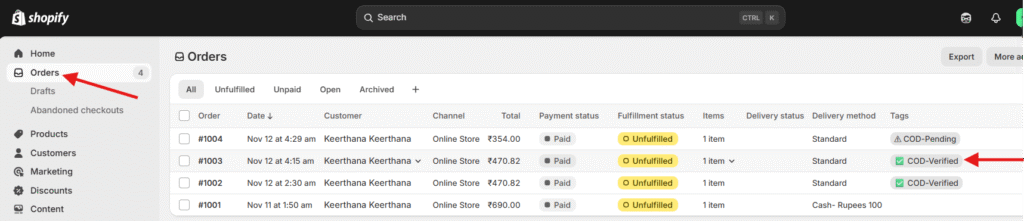
- Verified customer data
For any inquiries or support, please email us at support@notifiktech.com. We’ll make sure to get back to you as soon as possible
