
Understanding and Steps to set up Post Order OTP Verification
Post-order OTP verification is a security measure used to ensure that a product is delivered to the correct recipient by requiring a one-time password (OTP) at the time of delivery.
Post-order OTP (One-Time Password) verification serves as a final security checkpoint during the delivery process. Here’s what it does:
Purpose of Post-Order OTP in COD King
- Verify customer intent: Ensures that the customer genuinely wants the order and is prepared to receive it, reducing fake or impulsive COD orders.
- Authenticate delivery: Confirms the identity of the recipient using a one-time password sent via SMS or WhatsApp.
- Secure COD transactions: Adds a layer of protection to prevent unauthorized or mistaken handovers of packages.
Importance for Merchants and Customers
Enhances customer trust: Builds transparency and reliability in the delivery process, especially for high-value or sensitive items.
Reduces RTO (Return-to-Origin) costs: By verifying orders before delivery, it prevents unnecessary shipping and return expenses caused by fake addresses or refusals.
Improves delivery success rate: Ensures that only serious buyers receive the product, boosting overall delivery efficiency.
Protects revenue: Helps retain more COD revenue by filtering out non-genuine buyers and encouraging partial or full prepayments.
How It Works
- Order Placement:
- A customer places a Cash on Delivery (COD) order on your Shopify store.
- Instant OTP Trigger:
- Immediately after the order is placed, the COD King app sends a One-Time Password (OTP) to the customer’s registered mobile number.
- Customer Verification:
- The customer must enter the OTP to confirm the order.
- If the OTP is not verified, the order can be flagged or canceled based on your settings.
- Order Confirmation:
- Once verified, the order is marked as confirmed and ready for fulfillment.
- This ensures that only genuine orders proceed to shipping.
Demo Video
Watch this short demo to see COD King’s Post-Order OTP Verification in action
Step-by-Step Setup: Post Order OTP in COD King
- Install COD King App
- Go to the Shopify App Store and install the COD King – Verify COD Orders app.
- Enable Post Order OTP
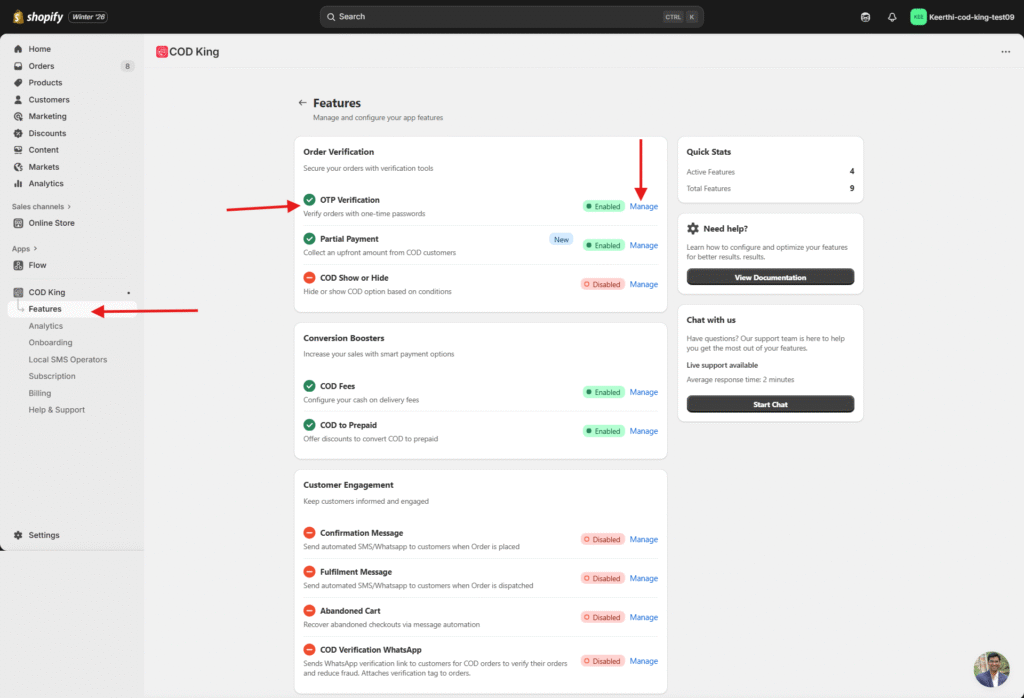
- Navigate to Features –>OTP Verification–>Manage
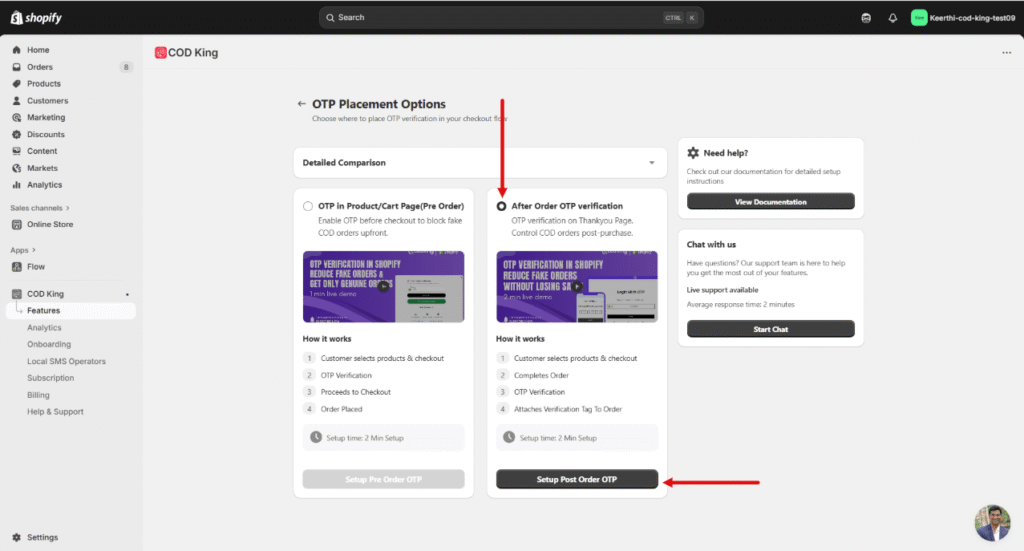
- Now select the “Post Order OTP” section and click Set Post Order OTP
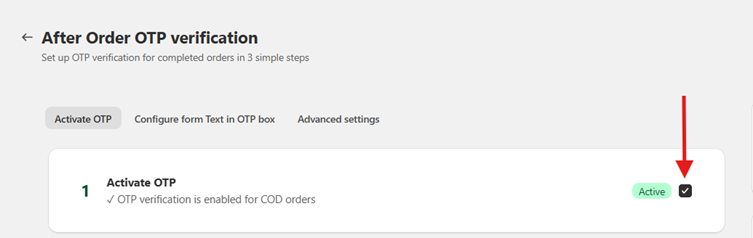
- Toggle the switch to activate this feature.
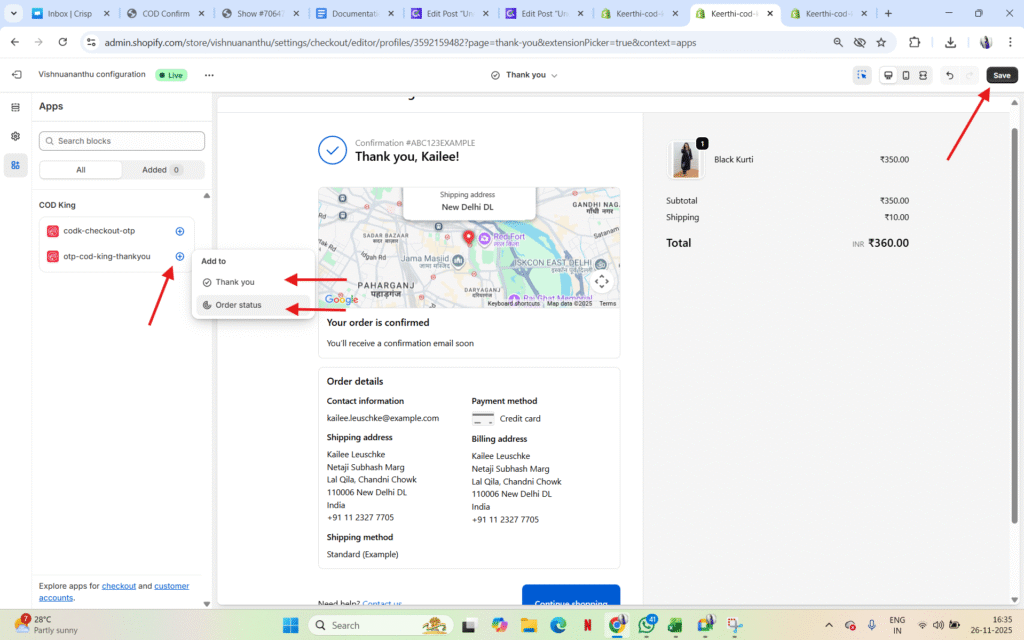
- Activate in Theme
- Open Thank You Page settings,
- Click on Add block and select the otp-cod-king-thankyou and save
Thank You page OTP preview
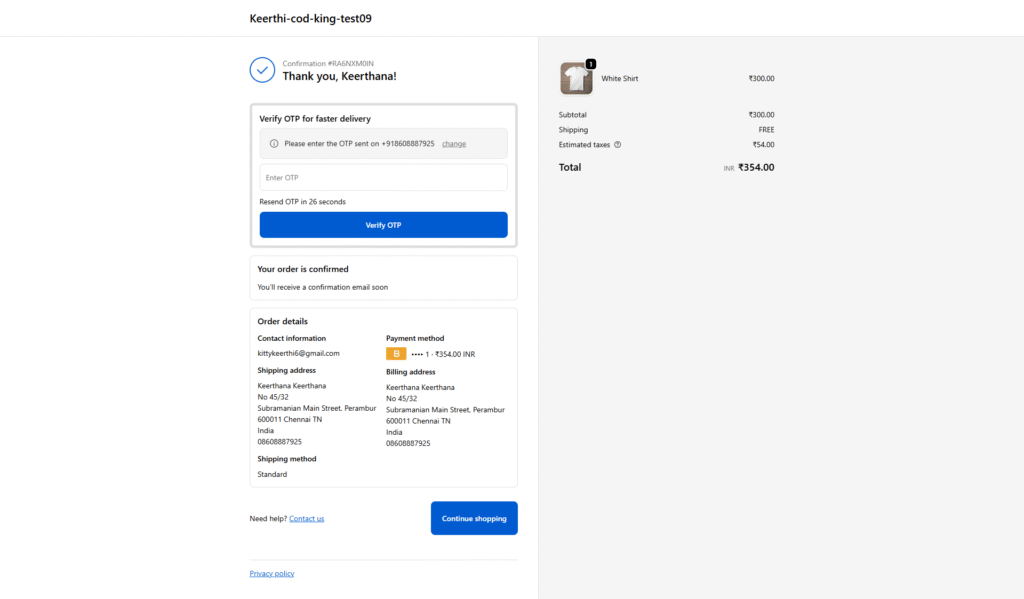
- Click on Add block and select the otp-cod-king-order status and save
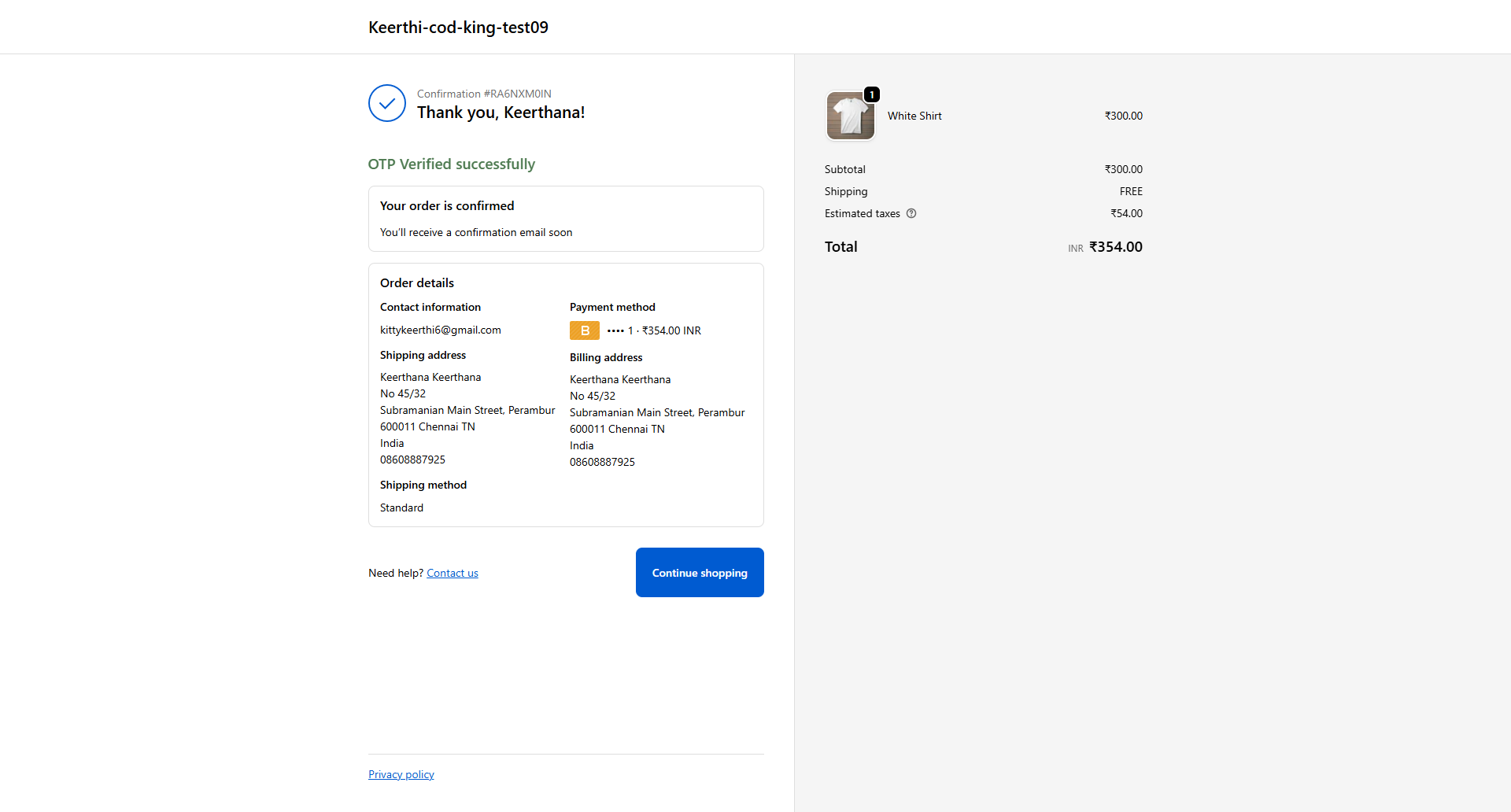
- Go back to previous settings and Open Order Status Page Settings
Order Status Page OTP Preview
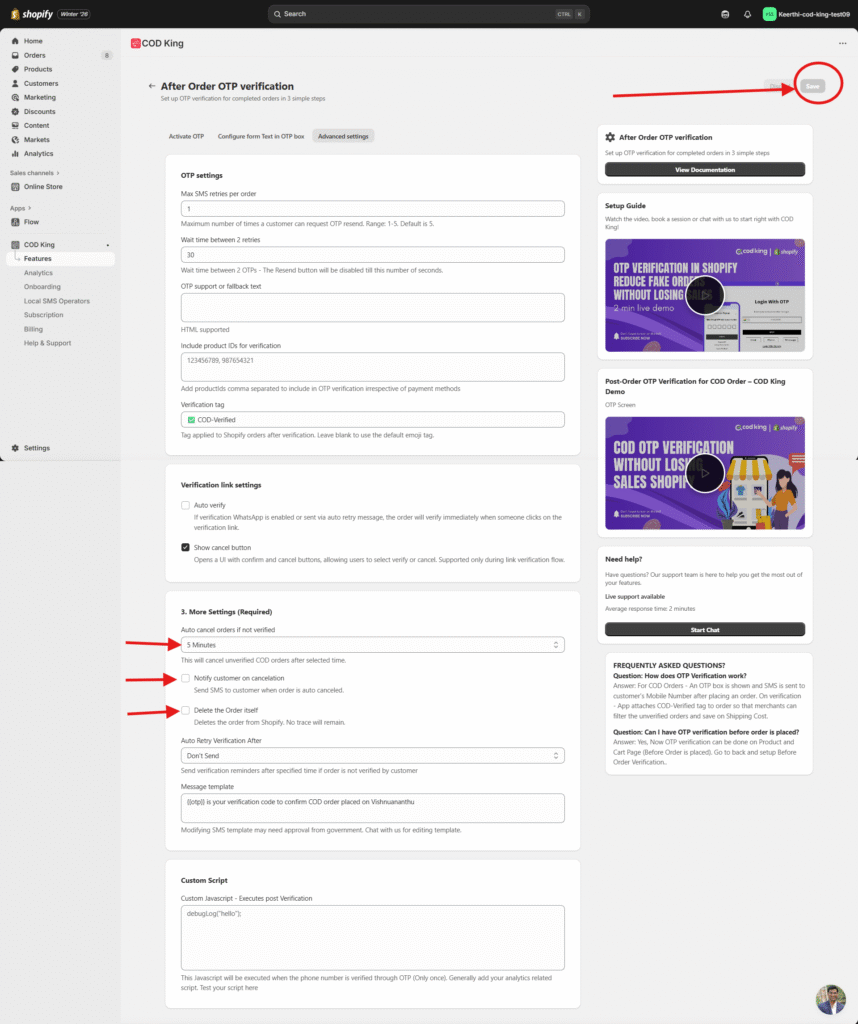
- Customize OTP Settings
- Choose the OTP method: SMS, WhatsApp, or both.
- Set the OTP Auto cancel time (e.g., 5 minutes), if the order is not verified it automatically cancels the order after the time expires
- We can also Notify the customer when order is auto cancelled
- We can also delete the order from Shopify store itself without any trace left
- Save the changes without fail
- Test the Flow
- Place a test COD order on your store.
- After order placement, the customer receives an OTP.
- The customer enters the OTP to confirm the order.
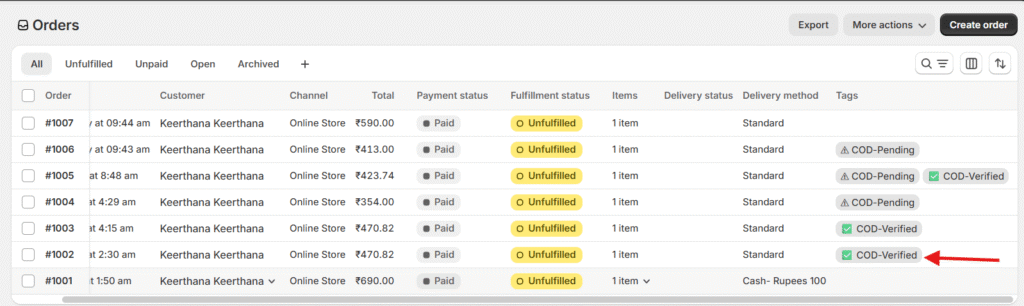
- Verified orders are marked as “OTP verified” in Shopify.
- Monitor Verified Orders
- Use the COD King dashboard to track:
- Verified vs. unverified orders
- OTP delivery success rate
- RTO reduction metrics
For any inquiries or support, please email us at support@notifiktech.com. We’ll make sure to get back to you as soon as possible
