
Understanding Abandoned Checkout messages – How & When they are triggered.
Sometimes customers add products to their cart, reached the checkout page, and even enters their details but then leave without completing their order. This is called an abandoned checkout.
To bring these customers back , stores sends Abandoned checkout messages. This messages remind the customer that their order is still waiting.
How Abandoned message checkout work ?
Abandoned checkout messages are automatic reminders sent through SMS & WhatsApp.
These message usually include:
- A friendly reminder
- A link to return to checkout.
- Sometimes a small discount or offer.
When are these message triggers?
The messages are triggered based on the timing you set in the store.
Here’s how it works:
- Customer add items to their cart
- Goes to checkout
- Enters their details
- leaves without completing payment
- After your chosen time delay (example : 5minutes, 10 minutes) the system send the message automatically.
To enable abandoned cart messages, go to the COD King app → Features → Under the Customer Engagement section, enable the Abandoned Cart Notification.”

In the Abandoned Cart Notification section, you can set reminders to decide when the message should be sent. You can also add a discount, which will appear directly in the WhatsApp message
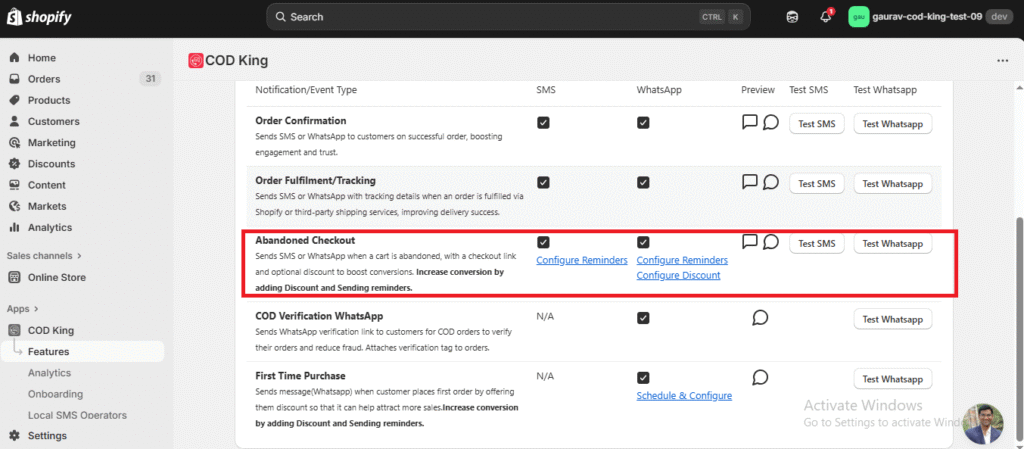
Configure Reminders
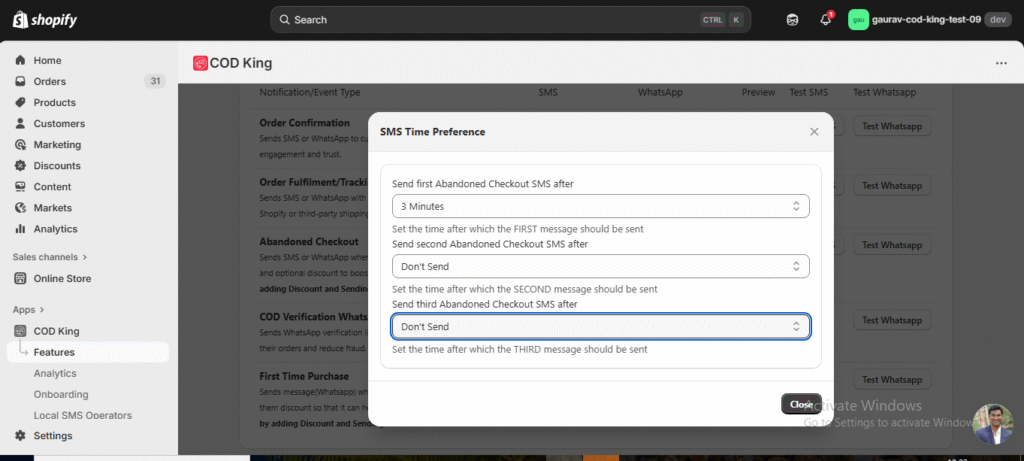
Set when and how many reminders should be sent:
- Choose time intervals (e.g., after 10 mins, 1 hour, 24 hours)
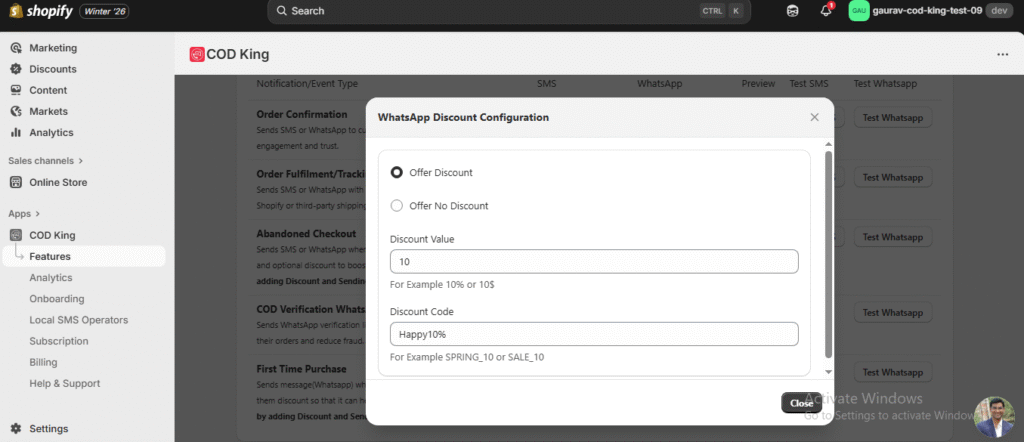
Configure Discount:
Increase conversions by:
Offering optional percentage discount (e.g., 5%, 10%)
Applying the discount only for abandoned checkout users
Steps to Configure Discount:
1. Go to COD King.
2. Click on Features section.
3. Navigate to Customer Engagement.
4. Click on Abandoned Checkout.
5. Click on Manage.
6. Select Configure Discount.
7. Enter the Discount Code and Discount Value.
8. Click on Save to apply the changes.
The discount code you place here must be created first in your Shopify discount settings. After creating the discount in Shopify, you can add that same discount code here to apply it for abandoned checkout users.
How Abandoned Checkout Alerts Looks
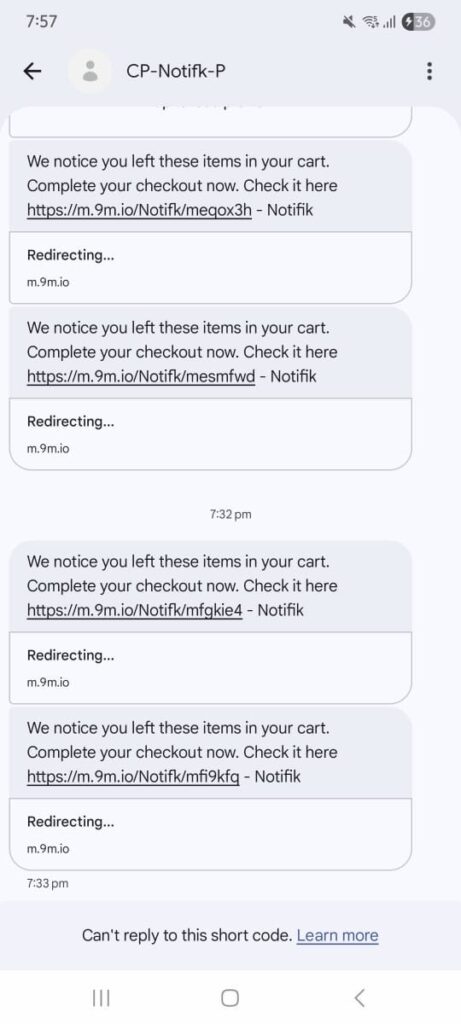
This is how the abandoned checkout reminder looks on SMS.
The customer receives:
- A short reminder that they left items in their cart
- A link that takes them back to their checkout page
- A quick way to complete the purchase.
These types of short reminders work well because the customer can click the link and finish the order instantly.
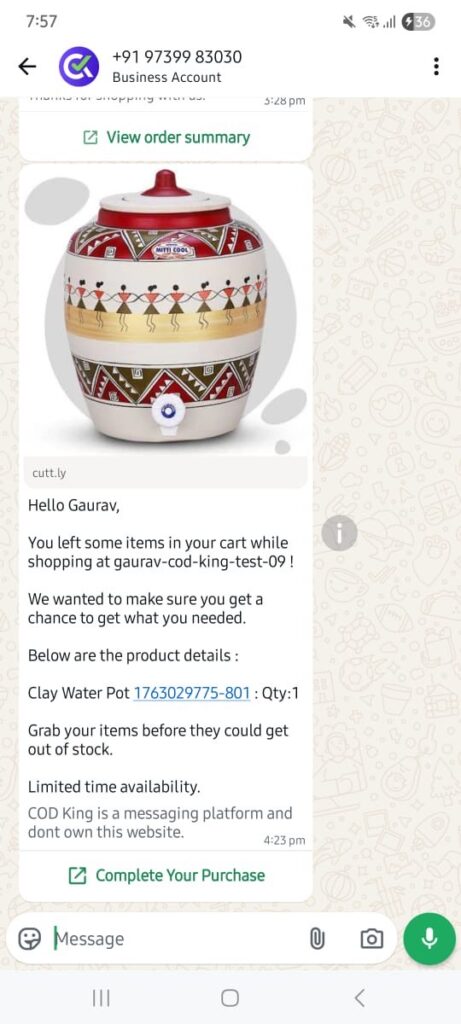
WhatsApp reminders are more detailed and visually appealing.
Customer can see:
- The product image
- Product name and quantity
- A personalized message
- A “Complete your Purchase” button
This gives customer confidence and makes it easy for them to continue their checkout with just one tap.
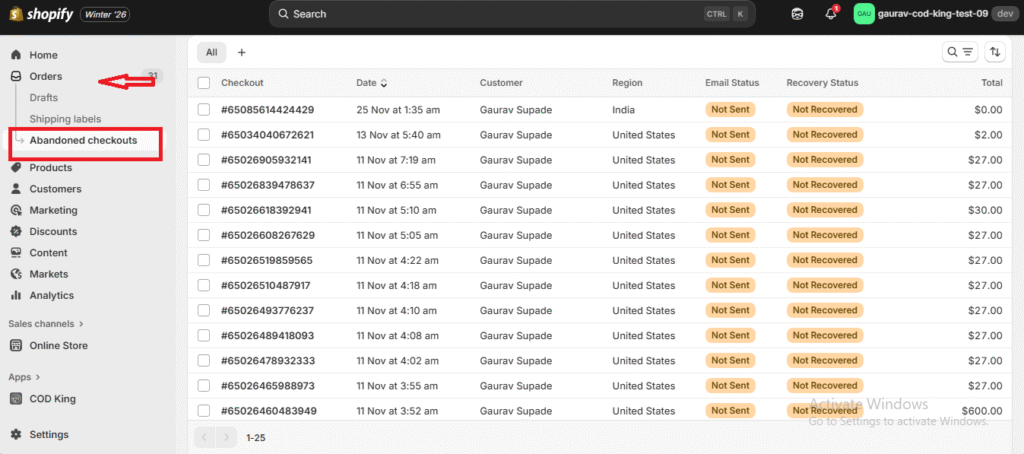
Where to See Abandoned Checkout Entries in Shopify:
Shopify Dashboard → Under Orders → Abandoned Checkouts
Here you will see the abandoned cart entry created whenever a customer leaves the checkout without completing the order.
If you need any assistance while setting up the Abandoned Checkout feature or have questions about any option, feel free to reach out to us.
We’re always here to help!
mail to:support@notifiktech.com
